

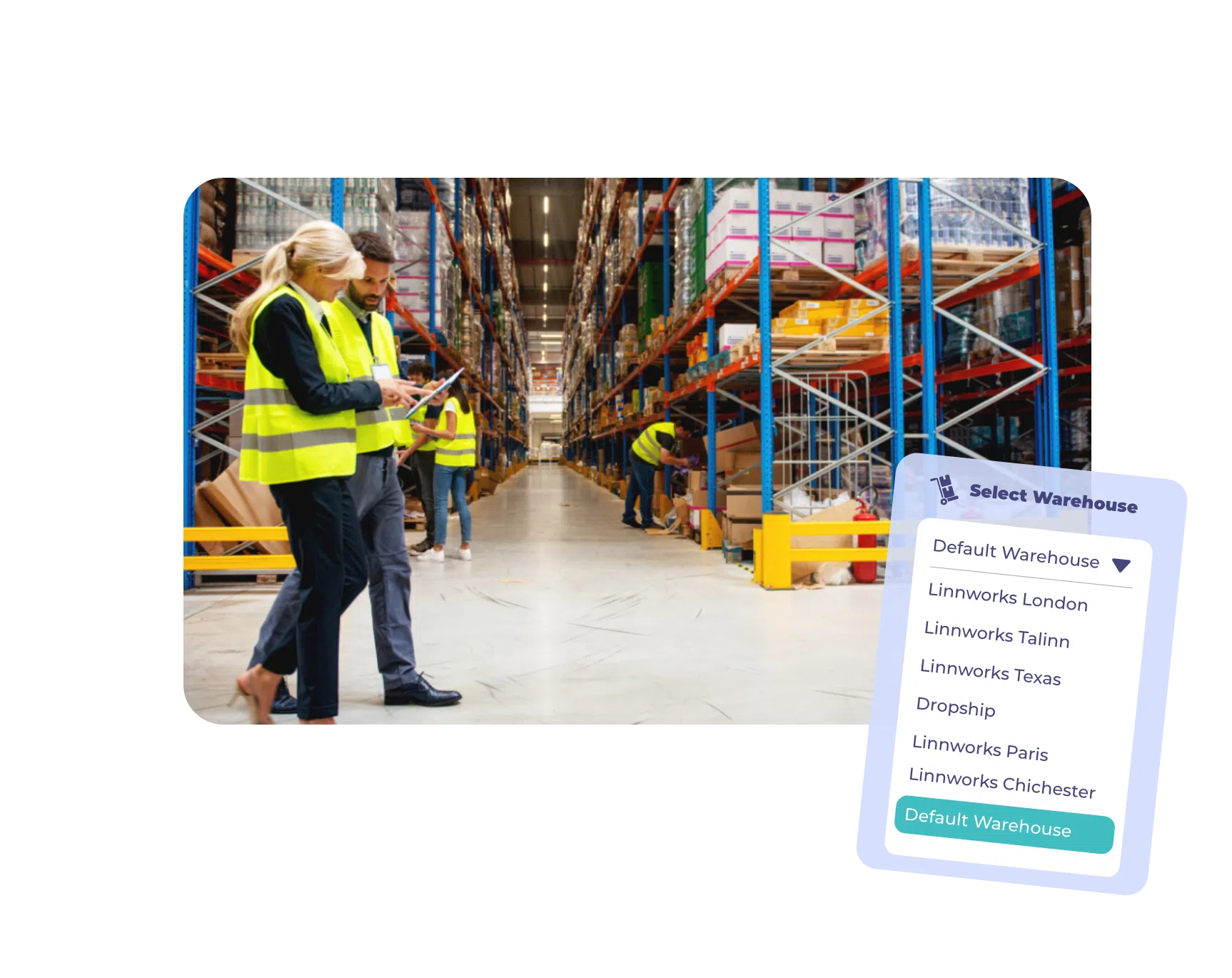
Time to ditch the spreadsheets
Upgrade to a true all-in-one digital platform for easier, more organized warehouse management. Automatically-generate digital picklists for faster fulfillment, higher staff efficiency and happier customers.


Testimonials
“With Linnworks, we’re able to have 100% data visibility and transparency, so we can identify where the inefficiencies are and drive the cost out of the system through those kinds of initial inefficiencies.”— Mehmetcik Kalay, European CEO, Spreetail

“Linnworks provided a robust ecommerce operations solution that effectively handled inventory and order fulfillment, ensuring smooth operations across multiple channels and geographies.”— Rebecca Smart, Managing Director, Autonative

“Linnworks is an essential partner as we scale our eCommerce operations to 15% of our overall business.”— Jon Fawcett, Director of Global eCommerce at Turtle Wax Europe Limited, Turtle Wax

“Once Linnworks came in, we started expanding to thousands of orders per day thanks to the uber-efficiency it allows for our business.”— Phil Wright, HomeScapes

“We achieved our multimillion-dollar revenue target in the first year. We simply couldn’t have achieved this with our old system. Linnworks has been absolutely critical to our international growth.”— Rich, Co-Founder, Source BMX

Everything you need to
run your
Know what, where, and how many
With barcode scanning and real-time stock syncing across 100+ marketplace integrations, pickers can finally trust their data. Any item sold anywhere will automatically update your inventory numbers near-instantly—eliminating stockouts for good.


“The barcode scanning works phenomenally. That cuts down errors… leads to customer satisfaction, less returns and better stock control.”
Enhance picker efficiency
Digital pick lists automatically show pickers the most efficient path to collect items for a shipment, enabling smoother, faster fulfillment. Built-in quality control functionality also ensures you catch pick errors before they’re shipped.


“With Linnworks, we tripled our fulfillment rate with the same staff and saved around 12 hours daily…”
Cleaner warehousing
Easily set up the stock in your warehouses for what makes the most sense for your business. Save inventory space with zone mapping, group and bin types and more. Manage stock transfers and re-ordering directly from the platform.


“600 plus orders are no longer a struggle for us… we can get through more orders with fewer people, saving us major time and money.”
60+ shipping integrations
Automate your shipping assignments to dozens of shipping providers like Amazon Shipping, FedEx, RoyalMail and ShipStation. Manage the entire process, starting from when the order is placed to when it hits that customer’s curb, directly with Linnworks, including label printing.


“With Linnworks, everything is integrated automatically and linked together. All we need to do is press a button and then it’s out the door.”
Kits and bundles work too
Linnworks provides full support for groups of items you’re selling under a single SKU. If an item in that multipack is out of stock, no problem, the platform will automatically substitute a previously approved component.


“The kitting feature is really powerful. There are clients we got just because of this. They couldn’t find any other 3PL that could do their business.”

Inventory and warehouse management savings calculator
Uncover the cost of your mis-ships, out of stocks and lack of labor efficiency with our inventory management savings calculator.
Get started
Warehouse management FAQs
Get answers to our most asked questions about our plans
Near-instantly. Any sale on any connected channel updates your inventory counts across every warehouse, so pickers are always working from accurate numbers. Linnworks also tracks stock transfers between locations at every stage of the journey, from removal at the source warehouse through transit to receipt at the destination. With barcode scanning layered on top, every movement is logged, keeping your warehouse data and channel listings in perfect alignment at all times. No more oversells.
Linnworks integrates directly with Amazon FBA and a wide range of other 3PL providers including ShipBob and Amazon MCF, among others. You can manage stock transfers, monitor inbound shipment quantities and track inventory held at external fulfillment centers alongside your own warehouse stock, all from the same dashboard. That means you always know what you have, where it is and what’s available to sell.
Yes. Linnworks connects to 60+ shipping providers including FedEx, Royal Mail, Amazon Shipping and ShipStation. You can automate carrier selection based on conditions you define, print shipping labels directly from the platform and track deliveries through to the customer’s door. The whole process from order placement to dispatch is managed in one place, with data flowing between every point of the journey.
Yes, both are built into the platform. Barcode scanning verifies items at the point of picking and packing, catching errors before they leave the warehouse. Shipping labels are printed directly from Linnworks as part of the fulfillment workflow, so there’s no switching between systems. Together they eliminate the manual steps that cause mis-ships and keep fulfillment moving faster.
Linnworks has built-in quality control functionality that catches pick errors before orders are dispatched. Digital picklists guide pickers to the right items in the right quantities and barcode scanning confirms each item is correct at the point of packing. The system flags discrepancies in real time rather than letting them reach the customer, which is why customers report cutting pick errors down dramatically upon switching to Linnworks.
Absolutely, Linnworks has a dedicated solution for 3PLs built on SkuVault Enhanced Warehouse. It includes a Business Hub client portal that gives your clients real-time visibility into their own inventory without needing to email your team for updates, plus Client Identifiers to keep products from different sellers cleanly separated. You also get advanced reporting on transactions, pick history and stock levels to support accurate billing, and industry-leading picking and quality control tools to protect your reputation for accuracy.
Linnworks gives you control over how stock is classified and handled at the bin level. You can assign bin types with specific availability rules, so stock in deep storage, quarantine or returns areas is automatically excluded from available-to-sell quantities and won’t be allocated to active orders. The Rules Engine can also be configured to apply different workflows to different order types, channels or product categories, giving you a structured way to enforce the right handling process for each situation.
Linnworks automatically generates digital picklists that route pickers along the most efficient path through the warehouse to collect everything needed for a shipment. Wavepicking groups and sequence picks to minimize travel time and keep fulfillment moving at pace. One Linnworks customer reported tripling their fulfillment rate with the same number of staff after switching from manual processes to digital picklists.
Resources
or find your next opportunity
Find your next marketplace quiz
Take our quick quiz to get personalized recommendations based on your goals, product types, and target audience.
Take the quiz now
Linnworks advanced
product tour
Sync inventory, create listings on the top marketplaces, automate fulfillment routing, and lots more with Linnworks Advanced, the all-in-one IMS platform for multichannel retailers.
Start product tour now
Learn how to master inventory management
Master inventory management with Linnworks. Centralize stock and automate updates across all your sales channels effortlessly.
Watch the demo now
CUSTOMER STORIES
Discover how Linnworks
Discover how Linnworks’ powerful automation and unified platform are driving tangible results for our customers. Read their stories and learn how they’ve optimized their workflows, expanded their reach, and accelerated their growth with Linnworks.
How Rave Coffee achieved a 100% increase in orders with Linnworks
Read full case study
How Sock Snob Enhanced Efficiency and Marketplace Connectivity with Linnworks
Read full case study
“The ability to quickly update SKUs and sync inventory levels means I don’t have to worry about overselling or underselling, freeing up my time to focus on the business.”
Shaun O’Brien
Company Director, Direct Plants

How Tootonic experienced significant growth using Linnworks automated inventory and warehouse management
Read full case studyReady to
Click the button below to request a specialist that can walk you through the innworks platform and unify your ecommerce operation.
