
11 best software to manage inventory for ecommerce in 2026
Table of Contents

New commerce connects
Find out how Linnworks can help grow your business.

There’s no getting around it – ecommerce is challenging.
From processing physical goods and ensuring that customers get their orders on time, to keeping track of inventory levels and stock movement across multiple warehouses simultaneously. It’s a lot.
But the upside of a profitable ecommerce business is certainly worth the work, so long as you have the right tools in your tool belt.
Using software to manage inventory makes it much easier to run and scale an ecommerce business. In this article, we’ll take a look at 11 of the best inventory management systems for ecommerce in 2026. We’ll also review which features are among the most important to look out for when choosing a vendor — and how these features can benefit your company.
Inventory management savings calculator
Uncover the cost of your mis-ships, out of stocks and lack of labor efficiency with our inventory management savings calculator.
What is inventory management software?
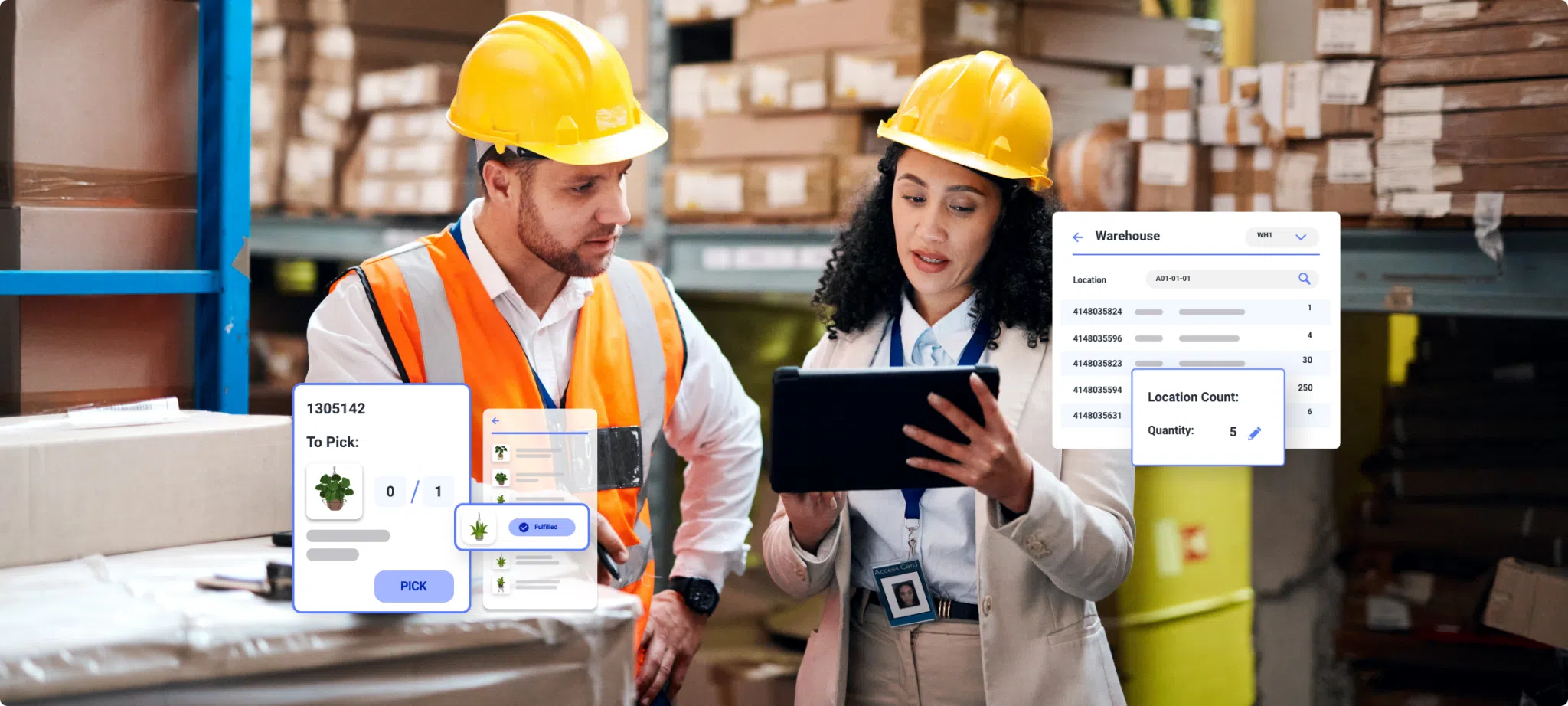
Inventory management software automates many of the manual processes involved in managing inventory. This includes real-time inventory tracking, monitoring inventory levels, analyzing inventory data, forecasting future demand, and managing the process of reordering once you hit a reorder point. This unlocks greater efficiency and productivity for you and your team.
After all, inventory management is one of the most data-intensive processes you can run. The Linnworks 2026 State of Commerce Operations report found that only 33.2% of UK retailers and 37.2% of US retailers rate their inventory visibility across channels and warehouses as excellent. Roughly two-thirds are operating with known gaps. Most describe those gaps as minor, but they compound every time you add a channel, a warehouse, or a peak season.
State of Commerce Ops Report
Insights from 200+ retailers on automation, inventory visibility, marketplace strategy and global growth.

When inventory levels are routinely off, you run the risk of canceled purchases, lost customers, and perhaps worst of all, a tarnished reputation. In addition to being error-prone, manual inventory management is time-consuming. It’s easy to get lost in the weeds of inventory levels, sales orders, purchase orders, and SKUs without a proper inventory tracking system.
That’s where using software to manage inventory comes in. The best IMS platforms are designed to make inventory management easier and more efficient, saving you time and money. With an IMS, you can focus on what’s truly important – growing your business.
Which is the best software to manage inventory? Our list for 2026
1. Linnworks
Linnworks is a dynamic ecommerce platform that empowers retailers and businesses to automate essential processes, minimize costs, and scale their operations.
It has more than 100 channel integrations that allow you to manage multichannel inventory listings, orders, and fulfillment from a centralized platform.
In addition to serving as the central hub of your inventory management operations, Linnworks provides features like automation of routine inventory processes, order management, and multi-location management.
This way, you can keep your customers happy and reduce expenses associated with understocking, overstocking, or stock-outs.
Linnworks can also project demand using historical sales, simplifying the process of replenishing your stock when needed. Linnworks is an excellent option for growing ecommerce businesses looking to invest in software to manage inventory.
2. Zoho Inventory
A part of the Zoho software suite, Zoho Inventory is a popular inventory management software and inventory tracking tool for growing ecommerce businesses.
It lets you manage your offline and online orders, create purchase orders, backorders, and drop shipments, and integrate with shipping tools.
Zoho Inventory includes an end-to-end tracking capability, which lets you monitor every item or batch in your stock with serial numbers and tracking features.
Like Linnworks, Zoho Inventory also has multiple out-of-the-box software integrations. These include Shopify, Etsy, PayPal, Amazon, Stripe, and Zoho CRM.
It also includes a mobile app, allowing you and your employees to stay connected and get real-time updates on your inventory processes even if you’re not in the warehouse.
3. Cin7
Cin7 is an integrated, cloud-based inventory management system that centralizes stock management across multiple sales avenues.
Using Cin7, you can connect your sales channels, products, reports, workflows, warehouses, orders, and stock locations into a centralized solution.
IT also supports wholesale, online, or retail sales.
Although Cin7 works with multiple businesses, it is primarily designed for small businesses wanting to simplify fulfillment and automate stock tracking.
4. Lightspeed
Lightspeed is designed specifically with ecommerce retail businesses in mind. So, it’s no surprise that the vendor provides a range of retail-specific functionalities.
It works for businesses of all sizes and has an intuitive interface that lets you customize options to fit your operations.
Lightspeed also offers an array of features such as inventory tracking, barcode scanning, order management, sales order and purchase order fulfillment, inventory reports, and serial tracking.
It also includes a mobile app for in-store sales, which helps you manage front-end operations like payments and refunds.
And if you have multiple store locations, Lightspeed is an excellent choice as it provides a unified platform to manage stock, pricing, and customer data from a single dashboard.
Lightspeed also provides a 14-day free trial so you can try it before you buy. What’s more, Lightspeed now integrates with Linnworks, meaning you can combine the power of both solutions to delight your customers.
5. Megaventory
Megaventory is a cloud-based inventory management solution that helps businesses fulfill orders, report on inventory data, invoice vendors, and manage manufacturing logistics.
The solution also helps ecommerce businesses check stock levels, monitor supplier availability, and ensure on-time inventory returns. It also supports multiple integrations.
Besides that, Megaventory also boasts an extensive feature list including order editing, contact management, stock alert levels, multiple currencies, and inventory returns.
On top of everything else, Megaventory is budget-friendly and offers excellent customer support, making it a solid option for small and mid-sized businesses.
6. Ordoro
Ordoro is a robust all-in-one software platform designed for growing ecommerce merchants. It helps by connecting businesses to their sales channels and visualizing logistics workflows.
Some features of Ordoro include product linking, manufacturing workflows, inventory storage monitoring, and kitting.
Using the kitting plugin, you can bundle multiple stock-keeping units into a single unit for sale to increase investment returns. For hands-off and automated shipping, you can connect your suppliers through the Ordoro Vendor Portals.
This way, you can reduce the back-and-forth by letting your vendors log in and access all the order data they need to fulfill orders. One less thing on your plate!
7. SalesBinder
SalesBinder is an easy-to-navigate online inventory management system that centralizes customer accounts, inventory, and sales leads.
Using SalesBinder, you can update inventory quantities automatically as they are sold and purchased, classify your inventory and conduct reports on specific categories, replenish stocks, and set up customer units of measure.
With robust features ranging from barcode scanning to inventory tracking and labeling, SalesBinder is an excellent option for SMBs, large enterprises, and freelancers.
Lastly, SalesBinder integrates with many popular third-party ecommerce platforms, including Zapier, WooCommerce, Xero Accounting, and Intuit QuickBooks Online.
8. Boxstorm
Boxstorm is a cloud-based solution that assists businesses in managing inventory, streamlining the entire product lifecycle, and tracking stock levels.
Unlike most inventory management systems in this list, Boxstorm is something you can access on any device through a web browser – meaning there’s no software to download or server to maintain. It also comes with a Forever Free offering that includes the ability to sell up to 25 items and process 100 transactions.
However, for SMBs and large enterprises dealing with multiple customers, upgrading to the Pro plan, which lets you perform unlimited transactions and list unlimited items across unlimited locations, might be a better option.
Regardless, Boxstorm is incredibly easy to use and provides a simple, visually-appealing interface for uploading and listing your products.
9. inFlow
inFlow tracks inventory, purchases, and sales within a single program, with support for Bill of Materials and kitting. Its standout feature is barcode generation you can create and print directly from a mobile device, so there’s no need to buy dedicated barcode hardware to get started.
The platform includes document management for invoices, receipts, and labels, structured onboarding to help new users get set up, and real-time reporting across sales, payments, and taxes.
inFlow integrates with Gmail, Jira, Slack, Zapier, and Zendesk Sell.
inFlow works well for small to midsize businesses. Pricing starts at $89 per month and scales up to around $1,000 per month for enterprise plans, with a 14-day free trial available.
10. Oracle NetSuite
Oracle NetSuite is a cloud ERP platform that extends well beyond inventory into accounting, production, and supply chain management, with customizable dashboards and reporting built in.
Its replenishment tools track stock levels and reorder points across multiple warehouse locations, while its production management features cover quotes, contract renewals, and cost estimation. A centralized supply portal helps enforce compliance across your supplier network.
Oracle NetSuite supports API integration and connects with platforms including Salesforce.
Oracle NetSuite is best suited to mid-sized companies that need inventory management folded into a broader ERP system rather than a standalone tool. Pricing starts at around $99 per month, with minimal ongoing maintenance thanks to automatic updates.
ShipBob suits businesses of any size that want fulfillment handled alongside inventory tracking rather than as a separate system. Pricing is custom, based on your specific needs.
11. ShipBob
ShipBob pairs inventory management with order fulfillment, syncing with your sales channels to automate order processing and provide live tracking updates.
Its distributed inventory feature lets you store stock across multiple fulfillment centers, cutting shipping times and costs by shipping from whichever location is closest to the customer. Return management tools handle the process from both the customer’s side and yours.
ShipBob integrates with popular ecommerce platforms and marketplaces.
Choosing software to manage inventory: Features to look for
Now that we’ve gone over some of the more popular inventory management software platforms, let’s look at some of the specific features you’ll want to keep an eye out for as you’re perusing this list.
For your business, some of these features may be more important than others. However, these cover the most common inventory management needs in a typical ecommerce business:
- Automated inventory notifications — You need to know when your stock levels are running low in order to quickly reorder or make any other necessary arrangements.
- Multiple integration capabilities — If you’re selling on multiple platforms, having an IMS that’s compatible with them all is essential for efficiently managing inventory across the board.
- Comprehensive reporting capabilities — Many IMSs provide reporting features that can help you stay on track with your inventory and make informed decisions about ordering new stock.
- Real-time updates — You want to be able to keep an eye on stock levels in real-time, so you can act quickly if any changes are necessary.
- Barcode scanning — Automated barcode scanning can help you track incoming and outgoing stock faster and more accurately.
- User-friendly interface — The IMS should be easy to use so that it doesn’t take up too much of your time or resources.
When shopping for an IMS, make sure to read reviews and take advantage of free trials to get a better idea of how each system works and if it will meet your needs.
You may also want to consider an IMS that offers additional features such as order management and shipping integrations, as these can be incredibly helpful in streamlining your workflow.
The right inventory management software can be the difference between reactively putting out fires in your business and proactively running a smooth, successful operation.
Benefits of implementing software to manage inventory
There are several benefits to using software to manage inventory in an ecommerce business, many of which we’ve covered throughout this post.
Here they are in list form:
Improved accuracy
An inventory management software can help reduce errors and improve accuracy by automating the process of tracking inventory levels and ensuring that all data is up-to-date.
Better organization
With inventory management software, you can easily organize and categorize your products, making it easier to find what you need and keep track of everything.
Increased efficiency
Automating the process of tracking inventory can save time and reduce the need for manual data entry, allowing you to focus on other important tasks.
Enhanced customer experience
With accurate and up-to-date inventory data, you can provide better customer service by being able to check on product availability and provide accurate delivery estimates quickly.
Better forecasting
Inventory management software can help you analyze sales data and make more informed decisions about future orders and stock levels.
Cost savings
By reducing the risk of overstocking or understocking, inventory management software can help you save money on excess inventory or lost sales due to unavailability.
Cost is the reason most often given for staying manual. The Linnworks 2026 State of Commerce Operations report found that implementation cost, integration complexity, and training requirements are the three barriers that stop retailers taking automation further.
The outcomes point the other way. In the same survey of 500 mid-market retailers, 64.8% in the UK and 60% in the US now run operations that are majority or highly automated, and the businesses reporting flat or declining performance are disproportionately the ones still relying on manual processes and disconnected systems. Around a third of retailers handle reporting, returns, and exception handling by hand. Those are the tasks that absorb more of your team’s time as order volume rises, not less.
An IMS has a price you can see on an invoice. Manual inventory management costs you in oversells, missed dispatch windows, and hours spent reconciling stock counts after the fact. Those are harder to total up, and usually larger.
State of Commerce Ops Report
Insights from 200+ retailers on automation, inventory visibility, marketplace strategy and global growth.
How to choose the best software to manage inventory for your business
Now that we’ve outlined the advantages of using software to manage inventory and a list of some of the most popular vendors, you might be wondering what to do next.
Ask 20 different businesses what the best tool for inventory management is, and you may very well get 20 different answers.
That’s because every business is different, and what works for one may not be the best fit for another. When choosing inventory management software, it’s important to consider your business’s specific needs and budget.
Here’s a step-by-step guide to help you evaluate and purchase the best IMS for your particular use case:
Step 1: Determine business requirements
Before diving into a bunch of free trials and demos, it’s important to pause and assess the operational challenges within your business that an inventory management solution can solve.
If you’re having trouble thinking of any, ask yourself the following questions:
- Is there a bottleneck in my inventory management workflow?
- How many SKUs do I need to track?
- Do I often struggle with predicting seasonal trends or forecasting product demand?
- Do I make a lot of inventory management decisions based on gut feelings?
- Is my inventory in multiple locations or warehouses?
- Does my inventory include serial numbers, expiration dates, or lot numbers?
- Do I need to track supplier data for quality assurance purposes?
- What kind of reports do I need?
- Who will be using the system?
The problem with most ecommerce businesses is that they frequently purchase software tools without sufficient information about the operational gaps. They know there’s a problem and that software can solve it, but they don’t know what the problem is or how the software can solve it.
This leads to them purchasing a shiny new platform, poking around in there for a couple of months, and concluding that it’s just not for them.
Then, they go back to their manual processes. At least those are safe, right? This is a problem, and it will stunt any business’s growth if it’s not addressed.
Knowing the answers to the questions above firsthand empowers you to evaluate your inventory management needs and narrow your search for the right inventory management platform.
Step 2: Give yourself a budget
We’d all love the most feature-rich, expensive inventory management platform on the market, but sometimes that’s just not fiscally possible – and it’s rarely what you actually need. Determine what your budget is and stick to it. That way, you won’t be tempted by flashy features that offer little value in the long run.
However, choosing an inventory management solution should consider more than just the software’s initial cost.
Depending on the inventory management software you select, you may also have to pay monthly or annual licensing and maintenance fees.
Linnworks demo: optimize every role, unlock every opportunity
See how Linnworks simplifies connected commerce. Learn how every role can streamline operations, cut manual work and unlock new revenue.

Step 3: Research options
Now that you know what kind of features and functions you need from an inventory management system, look for vendors who meet those needs.
Create a list of needs and wants
Go back up to the features listed above and review them against your own goals and analysis of your business. Which among those features are needs? Which are wants?
Write these down and discuss them with your stakeholders. Certain things, such as inventory tracking and integration with existing software, will be must-haves. You can’t budge on these.
But other things, like a certain reporting feature or a special customer service package, may be luxuries that you can negotiate away if push comes to shove.
Once you have your list of needs and wants, it’s time to do some research. Start by looking up the vendors on our list.
(And hey, since you’re already here, why not check out our features for more info about Linnworks?)
Once you’ve built out your shortlist of vendors, you can start going deeper by talking to sales reps or scheduling live demos of the software.
Step 4: Request a comprehensive product demo
Make sure to go into any demo with a list of questions specific to your business. These can include things like:
- What features do you offer that are particularly helpful to my industry?
- How do you constantly offer value and ongoing innovation?
- What are the service offerings you provide besides functionality?
- How often will you perform maintenance on my system?
- Can you provide me with industry references?
- Where’s the first place I should go if I have a problem?
Nothing is going to put a worse taste in your mouth than investing your hard-earned money into an IMS just to be kept on hold for an hour when something goes wrong.
Step 5: Make a decision
After you’ve seen demos of all the platforms on your short list, it’s time to make a decision. Here are some questions to guide you in your decision-making process:
- Which software offers the most value for the price?
- Which vendor has the best customer service reputation?
- Will this software help me achieve my long-term goals?
- Does the IMS have comprehensive integration capabilities with existing software and data sources I’m using?
- Would I feel comfortable recommending this solution to other companies in my industry?
Once you’ve answered these questions, it’s time to pull the trigger.
Put in the effort to properly configure your software, and you’ll reap the rewards of greater efficiency, more accurate reporting, and improved customer service.
Step 6: Implement & optimize
Now that you’ve chosen an inventory management solution, it’s time to actually implement it. This is where a lot of people run into problems. Having the right software is great, but if you don’t know how to configure it and use it properly, then you might as well not have it at all.
Make sure you are familiar with all the features your software offers and that you have the right people on board to help you implement it properly. (This is why it’s important to make sure you’ve got onboarding resources for whatever software you choose.)
Finally, don’t forget that software is a living thing. It needs to be maintained and updated regularly, or it will become outdated quickly.
Make sure you have a plan in place to keep your inventory management system up to date so you can take advantage of the latest features and benefits.
Software to manage inventory: Essential — but choose wisely
Inventory software is essential for modern ecommerce businesses. It allows businesses to streamline their inventory processes, save time and money, improve customer service, and make more informed decisions.
To make an informed decision about which software is best for your business, you first need to assess your needs and wants.
Certain features will be essential, such as inventory tracking and integration with existing software, while other things may be considered luxuries. Once you have a list of needs and wants, research the various vendors and request product demos.
Make sure to go into any demo with specific questions relevant to your business. After reviewing all the platforms, make a decision based on value, customer service reputation, long-term goals, and industry references.
Finally, implement the software properly with the help of onboarding resources and maintain your inventory management system regularly to take advantage of new features and keep your inventory data accurate in real time.
Get a Linnworks demo – automate inventory and orders faster
Book a Linnworks demo and see how it simplifies inventory, orders, and fulfillment. Get started today and optimize your eCommerce operations.

FAQ
What is an inventory management system?
An inventory management system is software that helps you track inventory, monitor inventory levels, and manage stock movement across one or multiple warehouses in real time. A good inventory tracking system automates manual tasks like updating inventory data, generating purchase orders, and processing sales orders so you always know exactly what stock you have on hand.
What is the best inventory management software?
The best inventory management software depends on your business size, budget, and workflow. Popular inventory tracking software options include Linnworks, Zoho Inventory, and Oracle NetSuite. When comparing tools, look for real-time inventory tracking, barcode scanning, support for multiple warehouses, purchase order and sales order management, and integration with your accounting software.
How does real-time inventory tracking work?
Real-time inventory tracking updates your inventory levels the moment stock moves in or out. As orders are placed, fulfilled, or received, the inventory tracking system records each inventory movement automatically, giving you real-time visibility into every inventory item. This helps prevent stockouts and excess inventory, and keeps your inventory data accurate without a manual inventory count.
Can inventory management software track inventory across multiple warehouses?
Yes. Most modern inventory management systems support warehouse management across multiple warehouses from a single dashboard. You get real-time visibility into inventory levels at each location, can transfer stock between warehouses, and can automate warehouse operations such as barcode scanning, serial tracking, and asset tracking. This makes managing inventory far easier as your business scales.
What is a reorder point and how does an inventory app use it?
A reorder point is the inventory level at which you should reorder an inventory item to avoid running out of stock. A good inventory app or inventory system monitors stock in real time and sends inventory updates or automatically creates a purchase order when a product hits its reorder point, helping you balance excess inventory against demand.
How does inventory tracking software improve warehouse operations?
Inventory tracking software improves warehouse operations by giving you accurate, real-time inventory data and detailed inventory reports. With features like barcode scanning, physical inventory counts, and inventory turnover tracking, you can spot inventory trends, reduce excess inventory, speed up order management, and make smarter decisions about stock management and inventory control.