
Ecommerce automation tools: The complete guide
Table of Contents

New commerce connects
Find out how Linnworks can help grow your business.

If you run an online storefront today, you already know the importance of ecommerce automation software. Each new channel (Amazon, TikTok Shop, your own site) adds another layer of inventory management, order management, and fulfillment.
Retailers still using spreadsheets know the pain of manual work. The added costs from extra hires, overtime, and data-entry errors add up, slowing down operations and hurting margins.
For most retailers, automation is the practical fix. Modern tools promise to remove repetitive tasks and keep inventory, shipping, and fulfillment under control, even when order volume spikes, without significant headcount costs.
Sustainable growth now hinges on smart automation. Yet with so many tools on the market, choosing a starting point can feel overwhelming. We’ve written this guide to help make that decision easier.
Read on to learn:
- Which automation layer tackles which problem, from preventing oversells to cutting fulfillment costs
- Which benchmarks signal it’s time to upgrade, so you invest before errors erode margin
- How to evaluate new software, so any tool you add connects smoothly to the rest of your stack
By the end, you’ll know where to focus first and what ecommerce automation capabilities will keep operations running smoothly as order volume climbs.
Live demo: boost speed and accuracy with fully integrated fulfillment solutions
Explore integrated fulfillment solutions that simplify operations, improve accuracy, and automate processes for better efficiency.

Understanding the ecommerce automation stack
As a first step, let’s break down common automation stacks for ecommerce retailers into three layers: tools, systems, and full-stack platforms. This guide focuses on the automation layer of your stack. For the company-wide picture, see our guide to the ecommerce tech stack.
Here’s what they mean and how they apply:
| Layer | What it solves | Good fit when… | Examples |
|---|---|---|---|
| Tools | A single, well-defined task | You need to fix one leak quickly | Mailchimp for email, Stripe for payments, Zendesk for ticketing |
| Systems | An entire business function | Volume is outpacing headcount | Order management systems that auto-route every order, inventory management systems that flag slow movers |
| Full-stack platforms | Multiple functions under one roof | You’re juggling several systems and data is still siloed | Platforms like Linnworks that connect ecommerce, CRM, accounting, and logistics |
With the three layers mapped out, the next step is to define ecommerce automation and why it has become the linchpin for profitable growth.
What is ecommerce automation?
In practical terms, ecommerce automation means handing routine retail chores, such as stock updates, order routing, and label printing, to purpose-built software.
The goal is more than speed. It’s to give your team the headspace to plan promotions, negotiate supplier terms, or test new channels while the system keeps the lights on.
Automated inventory management is usually at the heart of such systems. Live stock data replaces manual spreadsheet work, and dashboards show you slow movers or looming stockouts before they hurt cash flow.
Live demo: connected ecommerce for established retailers and brands
Optimize your ecommerce tech stack to cut inefficiencies and simplify your online selling process.

Where automation does its best work
- Order processing and routing: The system chooses the warehouse that can pick, pack, and ship the order fastest, cutting mistakes and postage costs.
- Inventory syncing: When an item sells on TikTok Shop, stock counts update across every channel automatically, so you’re far less likely to oversell on Shopify or Amazon.
- Built-in reporting: Dashboards highlight low-margin lines and forecast demand, so you can act early without hiring a data team.
- Automated reordering: Once buffer stock drops below the level you set, the software issues a purchase order or notifies the supplier automatically.
Signals you’ve outgrown manual methods
- Data mistakes are creeping in. Typos in SKUs, wrong addresses, or mismatched counts keep appearing.
- The warehouse is scrambling. Staff spend time hunting for items or reprinting labels to stay on schedule.
- Inventory misses the mark. You face frequent stockouts, or cash is tied up in products that sit too long.
- Numbers don’t line up. Marketplace, webstore, and warehouse figures disagree, and no single source feels reliable.

Spot these warning signs early, and you can upgrade to automated tools before errors cut into profit or damage customer trust.
In the next sections, we’ll connect each pain point to the right layer of the automation stack, helping you choose the right technology for your business.
Mapping your automation options
When ecommerce operations outgrow spreadsheets, most growing retailers patch together purpose-built apps.
Most solutions on the market fall into one of four jobs: tracking stock, routing orders, standardizing product data, or passing information between systems.
Those four functions give us the core tool categories that follow:
Key automation tools for scaling retailers
| Tool | Role in your stack | When it pays off |
|---|---|---|
| Inventory management system (IMS) | Live stock ledger that tracks every unit, analyzes sales velocity, and forecasts demand. | You need clear visibility so capital isn’t tied up in slow movers, or caught short when a product goes viral. |
| Order management system (OMS) | Orchestrates the journey from “order received” to “dispatched”: allocates stock, builds pick waves, prints labels, and pushes tracking back to every channel. | Order volume is outpacing headcount and browser tabs. |
| Enterprise resource planning (ERP) | Broad suite that adds finance, HR, and supply chain modules on top of inventory and orders. | You’ve grown into multiple legal entities or departments that need a single back-office system. |
| Product information management (PIM) / catalog manager | Keeps one source of truth for titles, images, prices, and specs, then syndicates accurate data to every channel and feed. | Listing errors are stalling ads or marketplace approvals. |
| Workflow engine | No-code connectors (such as Zapier) move data between apps, for example posting PayPal refunds to Shopify or alerting the team when Etsy stock dips. | You need quick wins while deeper integrations are still on the roadmap. |
When choosing an automation tool, choose platforms by the long-term problems they solve, not the splashy feature count. The right tool plugs straight into your existing stack, grows at the same pace you do, and turns data into clear, margin-protecting actions.
Here are other considerations to keep in mind:
- Native integrations. Out-of-the-box support for Amazon, Shopify, USPS, and Xero reduces custom work.
- Room to grow. Performance and pricing should stay predictable even as your catalog triples.
- Actionable analytics. Dashboards must surface margin leaks and stock risks without another spreadsheet export.
- Configurable rules. Reorder points, routing logic, and listing templates should be adjustable without developer time.
Where Linnworks fits
Purpose-built apps handle single tasks well, but each one keeps its own data and still relies on people to push updates from system to system.
Over time, the hand-offs (CSV uploads, copy-and-paste order numbers, brittle plug-ins) become the new bottleneck. Linnworks removes those gaps by bringing inventory, orders, product data, and workflow automation into one connected hub, so information flows continuously and routine decisions happen automatically.
How Linnworks connects data and simplifies workflows:
- Live stock control: A single inventory pool updates across every channel and warehouse within minutes, helping prevent oversells and freeing cash from slow movers.
- Visual rules engine: Drag-and-drop logic routes each order through the most cost-effective carrier and location, auto-replenishes stock, and applies tags or splits, with no code needed.
- Multichannel listing management: Publish and update titles, images, and pricing everywhere you sell from one product master.
- Actionable insights: Dashboards surface true profit by SKU and channel, highlight margin leaks, and flag stock risks before they hurt cash flow.
- Advanced catalog handling: Built-in support for kitting, batch tracking, and variation groups keeps complex SKUs organized without extra plug-ins.
- Native, no-code automations: Workflow tools act on the data inside the platform, so there are fewer hand-offs than with third-party connectors.
- Extensive integrations: Out-of-the-box connections to marketplaces, webstores, carriers, and 3PLs make adding channels a configuration task.
By unifying these capabilities in one dashboard, Linnworks gives retailers the control and visibility to protect margins, improve the customer experience, and add new channels or locations without stitching new software together.
Take your interactive tour
Take the Linnworks product tour and find out how inventory management can help you simplify your ecommerce operation and grow your business.

IMS, OMS, or ERP? How to choose the right next step
You’ve seen how an inventory management system (IMS) keeps stock counts accurate, how an order management system (OMS) turns those counts into on-time deliveries, and how an enterprise resource planning (ERP) suite promises to run everything from purchasing to payroll.
The question is which one should you tackle first, and when?
1. Inventory management system (IMS)
When you can’t trust last night’s stock report, every purchase order, listing update, and shipping promise is a gamble.
An IMS brings accuracy to every SKU so your team can buy, list, and ship with confidence, and free up working capital for growth.

Rule of thumb: If your primary headache is “Where’s my stock, and why is it never the right amount?” an IMS is the quickest win.
2. Order management system (OMS)
Once sales channels multiply, the real bottleneck is rarely demand. It’s getting every order out the door accurately and profitably. An OMS routes, prioritizes, and ships each order with minimal touch time, turning busy periods into predictable, repeatable wins.

Rule of thumb: When “How do we ship all this?” is louder than “How much stock do we have?” add an OMS, or choose a platform that blends OMS and IMS in one place.
3. Enterprise resource planning (ERP)
As your organization adds entities, currencies, or compliance requirements, spreadsheets and bolt-ons can’t keep up. An ERP consolidates finance, HR, and supply chain data so leaders stop debating whose figures are right and start acting on a single version of the truth.

Rule of thumb: Move to an ERP only when cross-department workflows, such as payroll, procurement, and compliance, become the bottleneck, not just inventory or shipping.
Where Linnworks fits for growing retailers
Most growing retailers sit between spreadsheets and a full ERP. You need accurate stock data and automated fulfillment, but you don’t need to rebuild your entire back office.
Linnworks meets you exactly there:
- IMS + OMS on one data core: Stock levels update as soon as an order lands, and the same record powers picking, packing, and carrier selection.
- Rules you control: Drag-and-drop logic handles routing, replenishment, and exception tagging, with no developer needed.
- ERP-friendly: Keep finance and HR in your existing system while Linnworks manages the fast-moving commerce layer, or let it stand alone until an ERP genuinely adds value.
Bottom line: If your biggest goals are preventing oversells, speeding fulfillment, and expanding to new channels without adding headcount, a unified platform like Linnworks delivers the IMS and OMS depth you need today, without the hefty costs of implementing an ERP system.
Turning process clicks into profits
Once you’ve figured out the automation stack and have a consistent, reliable data flow, the next win is to remove the last manual touches that slow dispatch.
That’s where workflow automation steps in.
Automating order processing workflows
Automating order processing workflows saves time, reduces human error, and frees up staff to focus on more important activities. This ultimately leads to greater operational efficiency and higher customer satisfaction.
- Faster shipping: Automated shipping solutions boost efficiency by integrating with multiple carriers and suggesting optimized shipping methods, allowing you to print labels in minutes.
- Fewer returns and errors: Automation reduces the chance of human error. Botched orders are like broken promises to a customer, and the stakes are high: in a PwC survey, 32% of customers said they would stop doing business with a brand they love after one bad experience. Automatically verifying shipping addresses also prevents delivery failures caused by inaccurate address information.
- Better customer experience (CX): Efficient order processing is a win for the customer. Keeping customers informed with proactive notifications and package tracking reduces anxiety and support contacts.
Rules-based automation simplifies operations without direct human input. For example, shipping software uses rules-based logic to suggest the best shipping method based on an order’s destination, weight, and required speed. Another example is software that automatically verifies customer addresses to prevent delivery delays.
Linnworks simplifies order fulfillment with a centralized order management system (OMS) that unifies all order data. By connecting your business systems, Linnworks reduces data silos and speeds up the entire operational workflow.
Future-proofing your tech stack
The path from manual processing to full automation runs from simple tools to integrated systems and finally to a unified platform that oversees your entire commerce operation. While each category of automation has its place, the real gains come when they work together. For the full company-wide picture, including customer-facing and growth tools, see our guide to building an ecommerce tech stack. Need to make the case internally? See how to prove ROI for an integrated ecommerce tech stack.
Future-proof your commerce stack with Linnworks
Book a demo to see how Linnworks helps you grow smarter with automated operations and accurate inventory control.
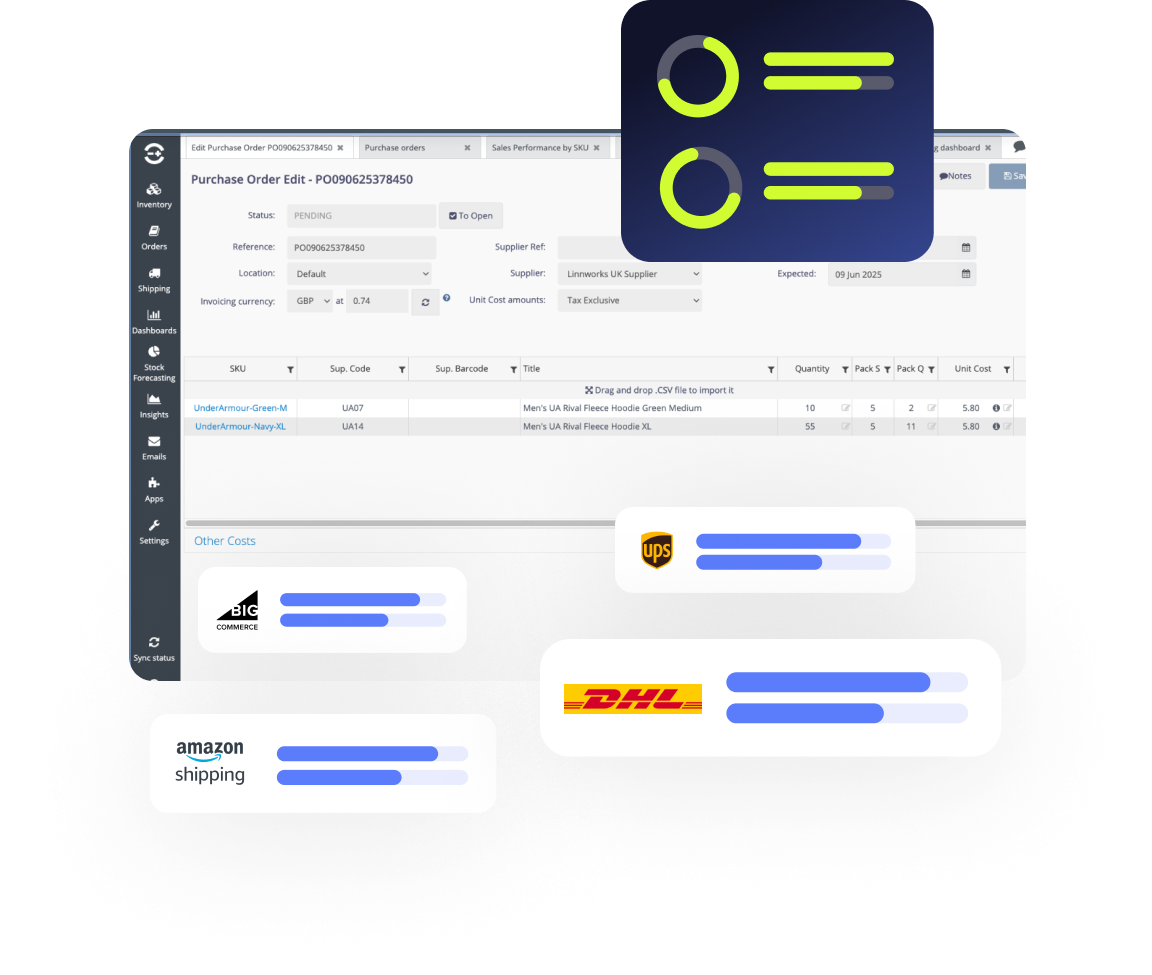
This is the role Linnworks fills in your tech stack: enabling growth without adding complexity through ecommerce automation. By unifying inventory, order, and listing management into a single hub, Linnworks delivers the control and visibility needed to scale with confidence. It breaks down data silos and operational bottlenecks, freeing you to concentrate on strategic growth instead of repetitive manual tasks.
Ready to build an ecommerce automation tech stack that grows with you? Request a demo, or see how Linnworks AI automation handles routine order and stock decisions.