
How to choose a warehouse management system
Table of Contents

New commerce connects
Find out how Linnworks can help grow your business.

For those who sell on multiple channels, the problems of warehouse management are universal.
Stock sells out but you remain live on Amazon. Pickers double back on the same aisle. The right product ends up in the wrong box, and customers complain.
That’s how waste creeps in.
A warehouse management system (WMS) gives you one process from goods-in to dispatch. It cuts out the manual steps that cause errors and cost you hours and dollars. If you’re still deciding whether you need one, start with the signs it’s time for a warehouse management system. If you’ve decided, this guide covers what to look for, how to evaluate vendors, and what implementation involves. For a deeper look at data migration, integration failure points, and automation readiness, see our modern WMS implementation guide.
Inventory management savings calculator
Uncover the cost of your mis-ships, out-of-stocks, and lack of labor efficiency with our inventory management savings calculator.
What a warehouse management system does
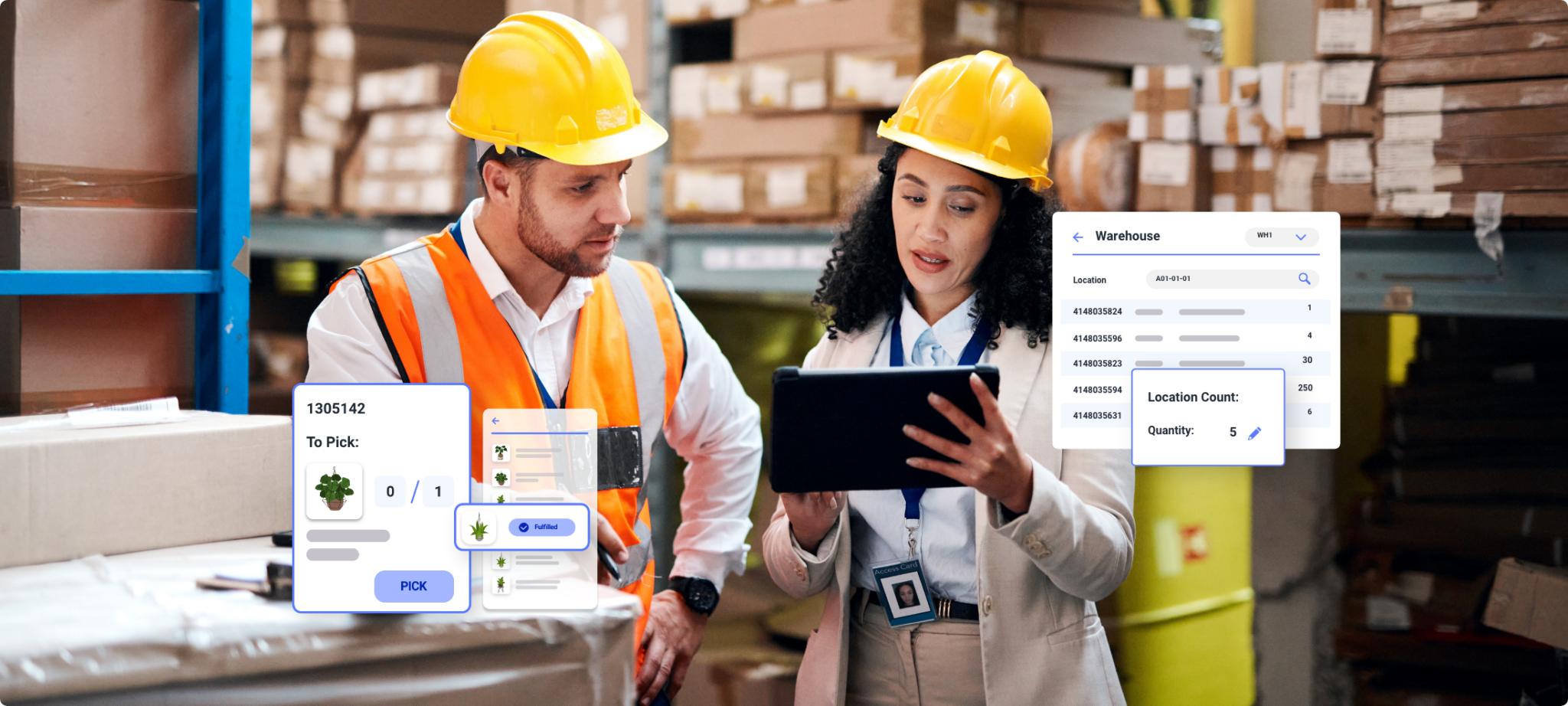
A WMS handles the physical movement of stock and keeps the digital record current as it moves. Most systems cover the same core jobs:
- Receiving and putaway: logging stock as it arrives and directing it to a storage location, so you know what you have and where it sits.
- Picking and packing: generating picklists that route workers through the building in an efficient order, then confirming the right items are in the box before it’s sealed.
- Inventory tracking: recording every movement, from a sale to a transfer between locations, so stock levels stay accurate as it happens.
Without a WMS, every daily task runs on memory and manual entry, and anything manual is an accuracy risk. Inventory visibility is the foundation. A good system shows what’s on the shelf, what’s already picked, and what’s left to sell. For the full feature list and the benefits, see why you need a warehouse management system.
How is a WMS different from inventory management software?
Inventory management software tracks what you own and how much of it, across every channel and location. It handles stock levels, reorder points, demand forecasting, and the syncing that stops you selling the same unit twice. It owns the catalog and the sales channels.
A warehouse management system runs the physical side: where stock sits, how it’s picked, and how it moves between bins. It owns the warehouse floor.
The two overlap, and most operations need both. If your problem is selling stock you don’t have, that’s an inventory management gap. If it’s stock you do have but can’t pick accurately or fast enough, that’s a warehouse one.
Types of warehouse management system
What you need depends on your order volume and how complex your supply chain is. Four broad options cover how a WMS fits into your stack:
- Standalone WMS: dedicated warehouse software that plugs into your other systems. Common for sellers who want warehouse depth without an enterprise-level rebuild.
- WMS as an ERP module: warehouse features built into a wider ERP that also runs finance and purchasing. Convenient if you already run that ERP, and usually lighter on warehouse-specific features.
- Enterprise WMS: built for large, multi-site supply chains with complex labor management and automation.
- WMS inside a multichannel operations platform: warehouse functions share one record with inventory, listings, and orders, so there’s no separate sync layer between the floor and the channels.
For a growing multichannel seller, the choice often comes down to the first and the last.
A standalone WMS gives you warehouse depth, but it sits alongside your channel software, so the two have to stay in step through an integration.
A WMS built into the operations platform closes that gap, because the sale, the stock count, and the picklist all read from the same record.
You also need to settle where the system runs. Most ecommerce sellers choose cloud-based systems, which bring automatic updates, lower upfront costs, and access from anywhere. On-premise systems need their own IT infrastructure and give you more control over your data. Weigh that choice against your IT resources and how much control over hosting you need.d.
What ecommerce sellers need from a warehouse management system
Most warehouse software was built for a different audience. Some of it was designed for static, single-channel brick-and-mortar stores, and some for manufacturers with predictable, high-volume production runs. Neither was built for retailers juggling Amazon, eBay, Shopify, and more. To evaluate your options as an ecommerce seller, look for the following.
Channel sync within minutes. Sell an item on any channel and every listing and warehouse count should update within minutes. That’s what stops oversells. A system that can’t do this just adds reconciliation work.
Stock across multiple warehouses and 3PLs. If inventory sits in more than one location, including a third-party fulfillment center, you need a single view of what’s actually available to sell. Without it, you’re guessing. For more, see our guide to multiple warehouse management.
Accuracy at the pick. Barcode scanning at pick and pack keeps mis-ships down as volume grows. If your mis-ship rate climbs during peak, add verification at the pick face before you add people.
How to choose a warehouse management system
Start with your biggest bottleneck
If returns are the problem, look for a system that handles returns well. If picking slows you down, focus on the pick process and picklist setup. Solve the problems you have today and let the demo confirm them.
Assess your current state
Before you look at vendors, audit your process from receiving to shipping. Time each step, note error rates, and calculate current labor costs. These baseline numbers show you where the biggest pain points sit, and they give you something to measure the new system against.
Define your requirements
Write two lists, must-haves and nice-to-haves, and keep the must-have list short. A must-have is a feature without which the system won’t work for your business. Then work through the details that trip people up later:
- Which existing systems must the WMS connect to, and which of those connections must be native?
- What data needs to sync within minutes, and what can wait until overnight?
- How much does your warehouse team need mobile access?
Turn both lists into a checklist, or a formal request for proposal, so every vendor answers the same questions.
Plan for growth too. “You need to be clear on where your business is today and where you’re reasonably looking to get to in the next three years,” says Diana Nolting, VP of Product at Linnworks. Choose a system that can handle that growth without a full reimplementation.
Compare total cost
Look beyond the monthly fee. Setup, integration, training, support, and per-order charges all add up. A cheaper platform that takes months to go live and lets you oversell at peak isn’t saving you money, and a system that needs extensive customization can cost more than a pricier one that works out of the box.
Test it against your use case
Run a trial on your own SKUs and order patterns. Ask vendors to set up a proof of concept with your products and order mix instead of walking you through a generic presentation. Confirm native integration with the channels, carriers, and accounting tools you already use.
Check references and ask the right questions
Talk to businesses similar to yours in size and sector. Ask about implementation challenges, support quality, and whether they’d choose the same vendor again.
When you demo new software, ask:
- How long does onboarding take for an operation our size, and what does it need from us?
- Which integrations are native, and which run through a third party?
- How do you handle returns and stock held at external fulfillment centers?
The best WMS for your business depends on more than the feature list. It depends on how well the platform fits your order volume, your existing tech stack, and your growth plans. Pick the system that handles your volume spikes and keeps your operation running as you add channels and locations.
What implementation involves
Knowing what a rollout involves before you sign helps you budget time, people, and money realistically.
How long it takes
Timelines depend on three things: how many locations you run, how large your catalog is, and how complex your integrations are. A single-location operation with a small catalog goes live fastest. Multi-location operations with large catalogs take longer and often roll out in phases to limit disruption. Linnworks go-live can take as little as 40 days. Ask every vendor for a written timeline for an operation of your size, and budget for data cleanup and training inside that window.
The implementation process
Four stages shape most rollouts:
- Data migration and cleanup. This often takes longer than expected. Your WMS is only as good as the data you feed it, so plan time to clean up product information, location data, and inventory records.
- Configuration and testing. Set up workflows, user permissions, and integrations, then test with sample data so go-live holds no surprises.
- Training and change management. Plan comprehensive training sessions and expect some resistance. People are comfortable with existing processes, and that’s natural.
- Go-live and support. Prepare fallback procedures and arrange extra support for the first few weeks. The best vendors provide dedicated help during this period.
When to expect payback
Payback depends on your starting point and how well you execute. Early wins usually come from fewer picking errors and faster order processing. Labor savings and better inventory management build over the longer term. Data quality, staff adoption, integration complexity, and fit with your workflows all affect how quickly returns arrive, and strong training and change management help you reach them sooner.
Common challenges
- Data quality. Inconsistent product information, inaccurate inventory counts, and disorganized location data are the most common roadblock.
- Staff resistance. Involve key team members in the selection process and show how the system makes their jobs easier.
- Integration complexity. Existing systems don’t always connect cleanly, so plan for some custom development or middleware.
- Workflow disruption. Some disruption during the transition is inevitable. Careful planning and phased rollouts keep it small.
Best practices
Secure executive buy-in and name champions in your team who can drive adoption. Roll out core features first and add complexity over time. Train people on the reasons behind the new workflows as well as the software itself, and celebrate early wins.
Once the system is live, see how to manage a warehouse for the day-to-day practices that keep it paying off.ility to scale and the reliability to keep your operations running smoothly as your business evolves.
Linnworks demo: optimize every role, unlock every opportunity
See how Linnworks simplifies connected commerce. Learn how every role can streamline operations, cut manual work and unlock new revenue.

How does Linnworks handle multichannel warehouse management?
Linnworks connects warehouse management, listings, orders, and channel sync in one place. Your warehouse and catalog work from a single record.
In practice, that means barcode scanning and digital picklists guide your team and verify every item before it leaves the building.
Sales on any channel update stock across all warehouses in minutes.
Stock transfers, bin setup, and quality checks run alongside order processing, so you keep inventory visibility as you add channels and locations.
Rave Coffee approached Linnworks to manage a sales spike their previous system couldn’t accommodate.
At their peak, they were processing 800 orders a day, and most of the strain sat in the admin: orders that didn’t sync cleanly with Shopify, plus packing and roasting lists that didn’t match the system of record, which left someone reconciling them by hand before stock counts could be trusted.
That growth wouldn’t be possible on our old system.
Vikki Hodge, Director, Rave Coffee
Linnworks automation took that step out of the day, building prioritized roast lists from that volume and running picking, packing, and manifesting off one accurate record. Order volume doubled, and the platform handled the increase without extra staff.
For growing brands looking to avoid siloed software, Linnworks warehouse management connects warehouse management, inventory, and order processing in one system.
Get a Linnworks demo – automate inventory and orders faster
Book a Linnworks demo and see how it simplifies inventory, orders, and fulfillment. Get started today and optimize your eCommerce operations.

FAQs
An ERP (enterprise resource planning) system runs your whole business, including finance, purchasing, and operations, in one place. A WMS runs the warehouse, covering receiving, picking, packing, and inventory control on the floor. They integrate, and many ERPs include a basic WMS module, but a dedicated WMS goes deeper into warehouse processes. If warehouse accuracy is your constraint, the ERP module usually isn’t enough on its own. For the wider decision, see whether you need an ERP.
Often yes, once a small business sells across more than one channel or holds stock in more than one place. Size matters less than symptoms such as oversells, mis-ships, or pickers slowed by a warehouse layout they have to memorize. Our guide to the signs you need a warehouse management system covers them in detail. A single-channel seller with one storeroom can usually wait.
Yes. Handling multiple warehouses in one view is a core reason sellers adopt a WMS. The system tracks inventory levels and movement across all locations, including stock at third-party fulfillment centers, so you always know what’s available to sell and where it is. For strategies by warehouse model, see multiple warehouse management.
It depends on your catalog size, channel count, and the cleanliness of your existing data. A straightforward setup can go live in a few weeks, and complex multichannel operations take longer. Linnworks go-live can take as little as 40 days. See what implementation involves for the stages and what to budget at each one.