
How does Shopify work for ecommerce?
Shopify is a leading ecommerce platform that lets businesses create and manage online stores with ease. Whether you’re a small business owner or a large enterprise, it offers a wide range of features and tools to help you build and grow your store.
This guide explains how Shopify works, from setting up a store to managing orders and analytics. It also covers the pros and cons of Shopify for ecommerce and walks beginners through the setup, so you’ll know what you need to start selling.
What is Shopify?
Shopify is a commerce platform that helps businesses create and manage online stores. It was founded in 2006 and has grown to serve businesses of all sizes, from small startups to large enterprises.
Shopify covers website customization, product management, payment processing, and order fulfillment. Businesses can build a professional online presence and reach customers around the world, and the platform is designed to be accessible even for people without coding experience. Shopify says merchants have made $1.1 trillion in sales on its platform.
A brief history of Shopify
Shopify was founded in 2006 by Tobias Lütke, Scott Lake, and Daniel Weinand. The three had tried to start an online snowboarding equipment store but found the available ecommerce platforms too limited for their needs. They decided to build their own platform that would be more flexible and customizable.
The platform quickly gained traction, and had grown to more than 6,000 active online stores by 2009. In 2010, Shopify raised $7 million in funding, and in 2013 the company went public.
Over the years, Shopify has continued to expand its offerings. In 2015, it launched its own payment processing system, Shopify Payments, which lets merchants accept payments directly through their store. It has since added Shopify Plus for larger businesses, and more recently built in an AI assistant called Sidekick to help with everyday store tasks.
Today, Shopify is available in nearly every country in the world, though some features, including Shopify Payments, are limited to certain countries. It remains focused on its original mission of helping entrepreneurs and small businesses succeed in ecommerce.
The importance and impact of Shopify
Shopify has had a sizable impact on ecommerce since its founding. Here are some of the key reasons it matters:
Accessibility. Shopify has made it easier for businesses of all sizes to enter ecommerce. Its user-friendly platform and customizable templates let even small businesses with limited technical expertise create professional-looking stores.
Innovation. Shopify keeps adding features that help businesses manage and grow their stores. Shopify Payments simplifies the payment process, and Sidekick, its built-in AI assistant, helps merchants with everyday store tasks.
Flexibility. Merchants can choose from a wide range of themes and add-ons to create a store that reflects their brand and vision.
Global reach. With multilingual and multicurrency capabilities, businesses can sell to customers in different countries and accept payments in various currencies.
Community. Shopify has built a strong community of entrepreneurs and merchants who share knowledge and support each other. Its forums, events, and resources offer information and networking opportunities.
Understanding the basics of Shopify
How does Shopify work?
Shopify is a software-as-a-service (SaaS) platform. Businesses pay a monthly fee to use it, and in return get the tools to build and run an online store: website customization, product management, payment processing, and order fulfillment, along with secure hosting.
Features of Shopify
Some of the key features include:
Website customization. A range of customizable themes lets businesses create a professional-looking online store that reflects their brand.
Product management. Businesses can add, edit, and manage products, including descriptions, pricing, and images.
Payment processing. Shopify offers its own payment processor, Shopify Payments, which lets businesses accept payments directly through their store. It also supports other payment gateways, including PayPal, Stripe, and Authorize.net.
Order fulfillment. Shopify makes it easy to manage orders and fulfill them through the platform. It offers a range of shipping options, including discounted shipping labels, and integrates with popular carriers such as USPS and UPS.
Analytics and reporting. Shopify provides reporting tools to help you track sales, traffic, and customer behavior, so you can make data-driven decisions and improve store performance.
Hosting and security. Every plan includes unlimited web hosting and a free SSL certificate. Shopify is also certified Level 1 PCI DSS compliant, which helps keep payment information secure.
Benefits of Shopify
Some of the key benefits of using Shopify for ecommerce include:
User-friendly interface. Shopify is designed to be accessible, even for people without coding experience.
Wide range of features. It offers a comprehensive set of features to help businesses build and manage their online stores.
Reliable and secure. Shopify includes secure hosting, PCI compliance, and 24/7 support.
Room to grow. Shopify can grow with your business, from a small startup to a large enterprise.
Integration with third-party services. Shopify connects with accounting software, marketing tools, and social media platforms.
Shopify also supports in-person and brick-and-mortar sales
Shopify isn’t just for online stores. It also supports in-person sales through the Shopify POS system, a mobile app and hardware solution that lets businesses accept payments and manage sales in a physical store, at a pop-up, or on the go.
Casual in-person sales at events and pop-ups are included on every plan. For brick-and-mortar retailers, the POS Pro add-on ($89 per month per location) adds tools such as staff roles and permissions, in-store inventory management, and in-store pickup and flexible delivery options.
Shopify POS works with compatible hardware such as card readers, receipt printers, and barcode scanners, and it supports a range of payment methods, including credit cards, cash, and gift cards. With it, businesses can manage sales and inventory from a single platform and sell across online, in-store, and social channels.
Shopify plans
Shopify offers plans to suit businesses of all sizes. You can try Shopify free for three days, then pay $1 per month for your first three months on most plans before the standard price applies. Shopify’s pricing changes, so check the official pricing page. The figures below are in US dollars, as of October 2026, and assume annual billing:
- Basic ($29/month): For solo entrepreneurs. Sell online, in person, and in AI chats, with card rates from 2.9% + 30¢.
- Grow ($79/month): For small teams. Adds up to five staff accounts and lower card rates (from 2.7% + 30¢).
- Advanced ($299/month): For global reach. Adds up to 15 staff accounts, live third-party shipping rates, and card rates from 2.5% + 30¢.
- Plus (from $2,300/month): For complex businesses. Adds unlimited staff accounts, a fully customizable checkout, and priority support.
Monthly billing costs more: $39, $105, and $399 per month for Basic, Grow, and Advanced.
Your total Shopify cost depends on several factors, including:
- Customization and development
- Third-party apps and integrations
- Payment gateway fees
Pros and cons of using Shopify for ecommerce
Pros
User-friendly interface. Shopify’s interface is accessible even for people without coding experience, so businesses can create and manage stores without hiring a developer or designer.
Wide range of features. From website customization to product management to payment processing, Shopify provides the core tools businesses need to sell online.
Reliable and secure platform. Shopify offers secure hosting, PCI compliance, and 24/7 support, so businesses can be confident their store is protected.
Strong customer support. Shopify offers 24/7 live chat support on its standard plans, enhanced chat on Advanced, and priority support, including phone, on Plus.
Easy integration with third-party services. Shopify connects with accounting software, marketing tools, and social media platforms, so businesses can expand their store’s capabilities without switching platforms.
Cons
Transaction fees on external payment gateways. If you use a payment gateway other than Shopify Payments, Shopify charges an additional transaction fee on each sale: 2% on Basic, 1% on Grow, 0.6% on Advanced, and 0.2% on Plus. These fees are relatively low, but they add up over time.
Limited customization for certain features. Shopify’s themes are customizable, but businesses may find limits on what they can change. If you need a high level of customization, Shopify may not be the best option.
Limited blogging capabilities. Shopify’s blogging tools are fairly basic, which may be an issue for businesses that rely heavily on content marketing. Content marketing is still possible on Shopify, but it isn’t primarily a publishing platform, unlike WordPress. If you plan to publish a lot of custom content, WordPress with WooCommerce may be a better option. See our full comparison of WooCommerce vs. Shopify.
Add-on costs. Don’t assume your only cost will be the monthly fee. Some features need paid third-party apps, which can raise the overall cost, and you’ll likely need a few to get your store working exactly the way you want.
Setting up a Shopify store
Menu names and screens change as Shopify updates its admin, so follow the prompts you see on screen. The steps below show the general order.
Sign up for a Shopify account
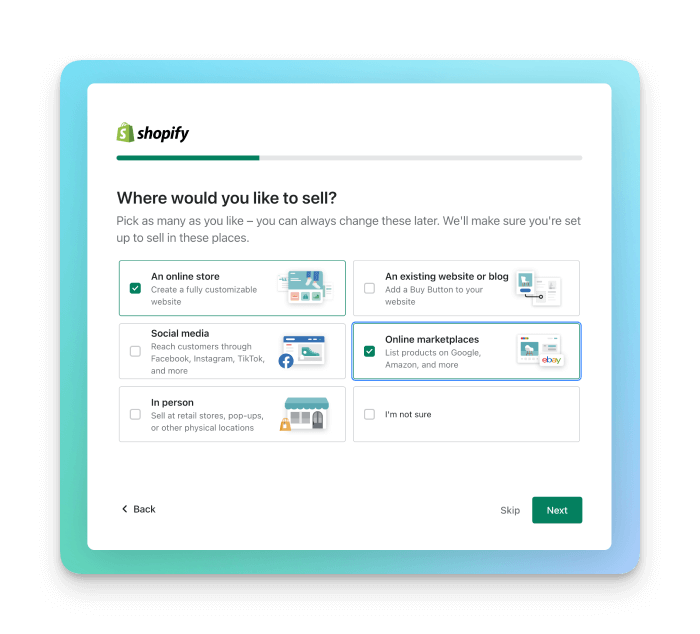
Go to the Shopify website and click “Start for free.” You’ll be asked for some basic information, such as your email address, password, and store name. Shopify’s setup questions also help tailor the experience to the way you plan to sell.
Choose a plan
Your free trial gives you time to set up your store, and you’ll choose a plan before it ends. Plans range from Basic, which includes the essentials for starting an online store, to Plus, which is designed for large businesses. Choose the one that best suits your needs and budget.
Choose a theme
In your admin, go to “Online Store” and then “Themes” to browse free and paid themes. Select the one that best suits your brand. You can change it later.
Add your products
Go to the “Products” section of your admin and select “Add product,” or follow the setup guide you’ll see the first time you log in.
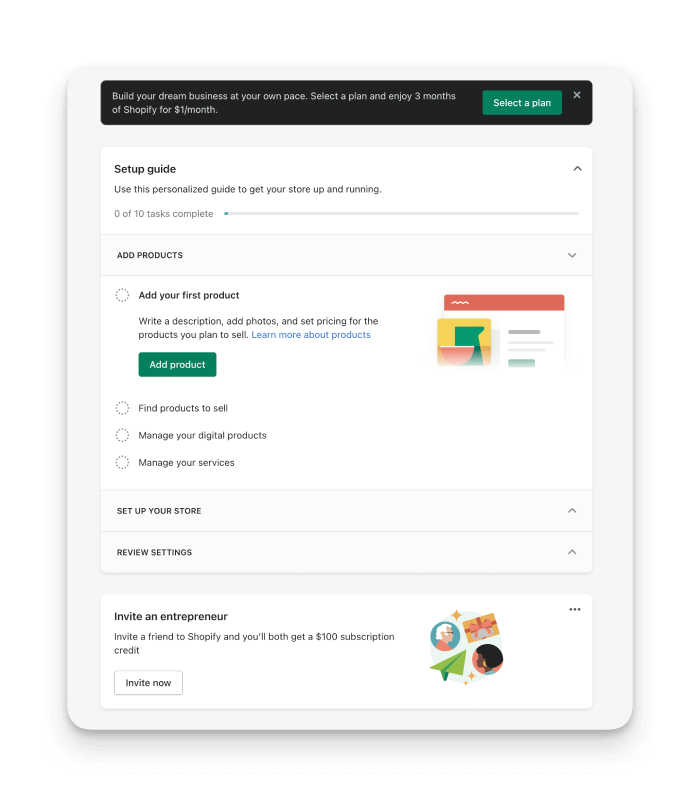
Enter the details for each product, including title, description, price, and images. Use high-quality images that show your products at their best.
Set up payments and shipping
To accept payments, choose a payment provider in your admin settings. Shopify Payments is Shopify’s own processor, and you can also use others such as PayPal and Stripe.
Then set up shipping by entering your shipping rates and choosing the carriers you want to use.
Set up taxes
Taxes can be complicated, but Shopify helps with automated sales tax calculations. Go to your tax settings and enter the details for each location where you collect tax.
Launch your store
Once everything is set up, review your store carefully, then remove the storefront password so customers can see it. Make sure you’ve chosen a plan before your trial ends so your store stays live.
Customize your store
With your store live, keep customizing it to match your brand. Use Shopify’s customization tools to change the color scheme, fonts, and layout, and add apps to extend its functionality.
Manage your store
After launch, you’ll manage your store on an ongoing basis. Use the dashboard to manage orders, inventory, customers, and sales channels, and track performance with Shopify’s analytics and reporting tools.
Managing your online store
Once your store is set up, Shopify provides tools to help you manage it day to day.
Dashboard overview
The dashboard is the main hub for your store. It shows an overview of your store’s performance, including sales, traffic, and orders, and gives you access to every key feature.
Orders management
Order management is one of the most important parts of running an online store. Shopify provides tools for order processing, fulfillment, and shipping, and you can view and manage all your orders from the Orders section.
Inventory management
Shopify lets you track stock levels, manage product variants, and set up low-stock alerts. For sellers who sell across several channels, a dedicated system can add more control. See our definitive guide to Shopify inventory management.
Customer management
Shopify provides tools for managing customer information, including contact details and order history. You can also segment customers and create targeted marketing campaigns.
Sales channels
Shopify lets you sell on social platforms like Facebook and Instagram and on online marketplaces. Connecting your store to these channels reaches more customers and increases sales.
Analytics and reporting
Shopify’s reports cover sales, traffic, and customer behavior, helping you make data-driven decisions and improve your store’s performance.
Overall, managing a Shopify store is straightforward. With its tools for orders, inventory, customers, and sales channels, you can run your business day to day and use the reports to spot where to grow.
Shopify apps and integration
What are Shopify apps?
Shopify apps are add-ons you can install to extend your store’s capabilities. They’re built by third-party developers and available in the Shopify App Store. Apps cover everything from marketing and sales to customer support and shipping.
The Shopify App Store
The Shopify App Store is a marketplace where you can browse and install apps, from free to paid, and it’s updated regularly. You can search by category, feature, and customer rating.
Types of Shopify apps
Apps include marketing, shipping, accounting, and customer service tools. Some help you manage your store more effectively, while others help you grow your business.
Notable Shopify apps
Here are some popular apps, in a few categories. Check each app’s current listing and pricing in the App Store before you install.
DSers
DSers is a dropshipping app that lets you import products from suppliers such as AliExpress into your store and manage orders. Shopify recommends it as the replacement for Oberlo, which it discontinued.
Yotpo
Yotpo is a customer reviews and ratings app that helps businesses collect and show reviews, which can build trust with new shoppers. It also offers tools for social media integration, SEO, and customer feedback.
Privy
Privy is a marketing app for creating popups, banners, and email campaigns, including abandoned cart emails and exit-intent popups, with A/B testing and analytics.
ShipStation
ShipStation is a shipping app for managing and fulfilling orders from one platform. It lets businesses print shipping labels, track shipments from multiple carriers, and automate parts of their shipping.
Linnworks
Linnworks is a multichannel inventory and order management platform that connects Shopify to 100+ native channel integrations, so businesses can manage inventory, orders, listings, and shipping across every channel from one place, with stock syncing in under 10 minutes.
Integrations with third-party services
Beyond apps, Shopify connects with a wide range of third-party services, including Linnworks, Mailchimp, QuickBooks, and Google Analytics, so you can connect the tools you already use.
Shopify Payments
What is Shopify Payments?
Shopify Payments is Shopify’s integrated payment processing service. It lets businesses accept card payments on their Shopify store, and it’s designed to be easy to use and to give customers a smooth checkout.
How it works
When a customer buys from your store, Shopify Payments processes their payment information securely. The funds are then transferred to your account, minus any fees. It supports credit cards, Apple Pay, Google Pay, and more.
Fees and charges
Shopify Payments charges a processing fee on each sale, which depends on your plan. Standard online card rates are 2.9% + 30¢ on Basic, 2.7% + 30¢ on Grow, 2.5% + 30¢ on Advanced, and 2.25% + 30¢ on Plus. Premium cards and international cards cost more. There are no setup fees on any Shopify plan.
If you use a third-party payment gateway such as PayPal or Stripe instead, Shopify charges an additional transaction fee (2% on Basic, 1% on Grow, 0.6% on Advanced, and 0.2% on Plus), and the gateway charges its own fees.
Where Shopify Payments is available
Shopify Payments is available in many countries, but not all. Availability, and some features, depend on where your business is based and may require business registration and compliance with local rules. Check Shopify’s current list of supported countries before you plan around it.
Alternatives to Shopify Payments
Shopify Payments is a popular choice, but you can also use other gateways, including PayPal, Stripe, Authorize.net, and others. They differ in features, fees, and benefits, so compare your options before you decide.
Shopify themes and design
If design and content matter most to you, see our comparison of Shopify vs. Squarespace.
What are Shopify themes?
Shopify themes are pre-designed templates that you can use to build and customize your store. They provide customizable layouts, colors, fonts, and navigation menus, so you can create a professional store that represents your brand.
The Shopify Theme Store
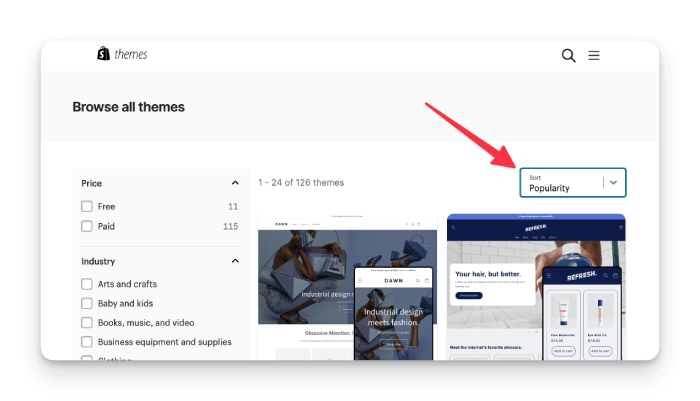
The Shopify Theme Store is a marketplace where you can browse and buy themes. It offers free and paid themes for different industries and styles, with filters for features and customer ratings.
How to choose a Shopify theme
Choosing a theme is an important decision that affects how your store performs. Consider your brand, industry, target audience, and design preferences. Look for features that match your business, such as mobile responsiveness, SEO optimization, and product display options.
Customizing your Shopify theme
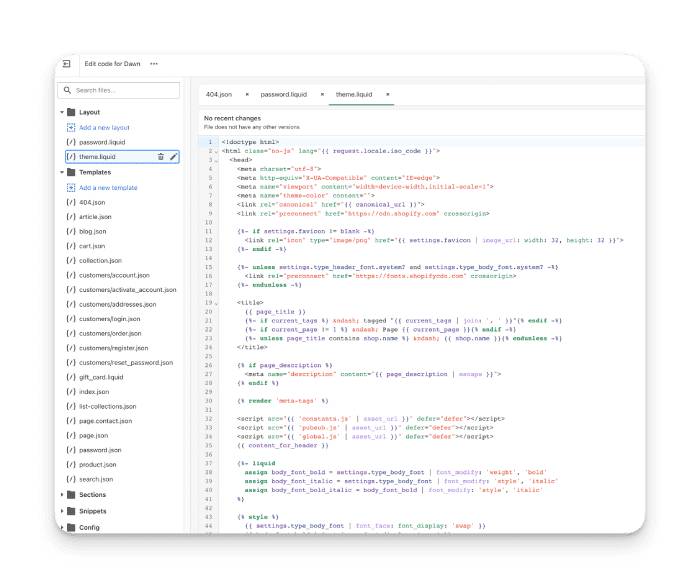
Customizing your theme is an essential step in building a unique store. Shopify’s theme editor lets you change your theme’s design and layout without coding. For more advanced changes, you can use Shopify’s Liquid programming language and HTML/CSS.
Popular Shopify themes
Shopify’s free themes are a good place to start. Some examples, suited to different kinds of business:
- Dawn: Shopify’s default theme, designed for image-heavy ecommerce businesses.
- Refresh: A trendy, responsive theme designed for low-ticket, renewable products, such as skincare.
- Craft: An image-rich theme designed to showcase handcrafted goods.
To browse more, visit the Shopify Theme Store and filter by industry, features, or price.
Hiring a Shopify designer
Hiring a designer can help you create a store that stands out. Shopify has its own directory of experts, or you can find a freelancer on a site like Upwork. Here’s how to find and hire the right person:
Browse the Shopify Experts Marketplace
The Shopify Experts Marketplace is a directory of professionals who specialize in Shopify development and design. You can browse for designers who have built custom themes for businesses like yours, and filter by location, budget, and project type.
Look at portfolios and reviews
Look at each designer’s portfolio and reviews to check they have the skills and experience for a high-quality theme. A good designer will have a portfolio of previous Shopify work, and client reviews will tell you about their communication, professionalism, and quality of work.
Ask for references and quotes
Ask for references and quotes before you hire. They show you the designer’s communication style, process, and pricing. When you request quotes, provide a detailed project brief that outlines your business needs, design preferences, and budget.
Conduct interviews
Once you’ve narrowed your list, interview the candidates to understand their approach. Ask about their design process, timeline, and pricing, and ask for references and examples of previous work.
A designer with experience building custom Shopify themes can help you create a store that reflects your brand and meets your customers’ needs.
Final thoughts
If you need to get your own online store up and running quickly, without handling web hosting or a lot of code, Shopify is a strong choice. It isn’t free, but its plans include much of what you need to run an online business.
Still comparing platforms? See our comparisons of Shopify vs. Squarespace and WooCommerce vs. Shopify.
Once your store is set up, a solid inventory management strategy is crucial to its success.
Why effective inventory management is crucial
Effective inventory management helps you optimize stock levels, prevent stockouts, reduce costs, and keep customers happy. One way to achieve it is with inventory management software like Linnworks.
Linnworks connects to Shopify and 100+ other native channel integrations, so you can manage inventory across multiple channels from one platform, with stock syncing in under 10 minutes. You can automate inventory processes, speed up order fulfillment, and get clear reporting on stock levels and sales performance.
Using Linnworks with Shopify helps improve inventory accuracy and cut manual errors, freeing up time to grow your business. It also offers multichannel selling, shipping integrations, and reporting tools for managing an ecommerce business on Shopify.