
Cloud-based warehouse management systems explained
Table of Contents

New commerce connects
Find out how Linnworks can help grow your business.

A cloud-based warehouse management system (WMS) runs on the vendor’s servers, not on hardware in your building. Your team uses it through a browser and handheld scanners. The vendor hosts the software, ships the updates, and backs up the data.
For a multichannel retailer, moving the WMS to the cloud changes three things. The upfront cost of servers and licenses becomes a subscription. Upgrades arrive without an IT project. And the vendor maintains the connections between your warehouse and the channels and carriers you sell and ship through.
On some platforms, including Linnworks, the WMS shares one system with your orders, inventory, listings, and shipping.
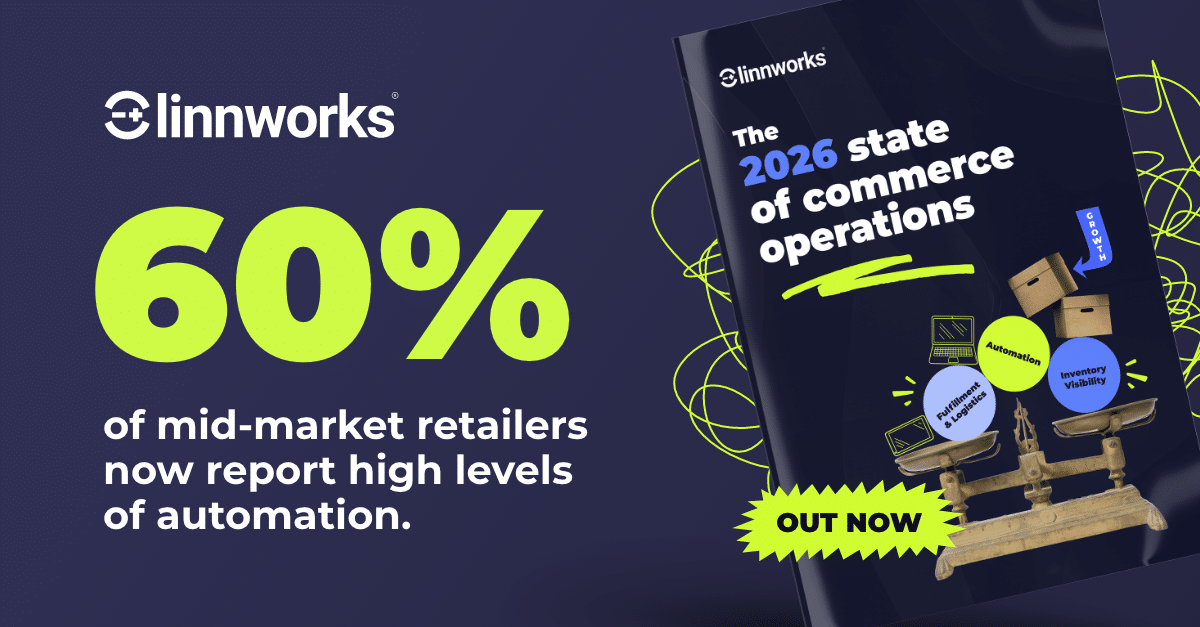
Cost and integrations are where many mid-market retailers say they get stuck when trying to improve operations. In Linnworks’ 2026 State of Commerce Ops report, a survey of 500 US and UK retailers with annual revenue from $7.5 million to $100 million, the barriers to further automation retailers cited most were training and change management, implementation cost, and integration complexity across existing systems. A cloud WMS moves much of the implementation cost and integration complexity to the vendor.
Deep code-level customization is where on-premise still wins. So whether a cloud-based warehouse management system fits comes down to how much you customize, how you’d rather pay, and how many channels you connect.
State of Commerce Ops Report
Insights from 200+ retailers on automation, inventory visibility, marketplace strategy and global growth.
What is a cloud-based warehouse management system?
A cloud-based warehouse management system is software for running warehouse operations (receiving, bin locations, picking, packing, and shipping) that the vendor hosts on its own servers and your team accesses over the internet. It can be hosted single-tenant (your own copy on someone else’s servers). Or it can be multi-tenant software as a service (SaaS), where customers share one version.
With SaaS, the vendor is responsible for things like upgrades. Any changes to the software roll out to every customer at once. A hosted copy is upgraded individually.
The database and application logic sit with the vendor. Your scanners, label printers, and pack stations stay on the warehouse floor, and they reach the WMS over your local network and internet connection, so only the servers move.
Our guide to whether it’s time for a warehouse management system covers WMS basics.
How is a cloud WMS different from an on-premise WMS?
Where the server sits decides who does the work of running it. With an on-premise WMS, your IT team patches the server, backs it up, and installs each new release. With a cloud WMS, the vendor does all three for every customer it hosts. And you pay a subscription instead of buying servers.
| Feature | Cloud WMS | On-premise WMS |
|---|---|---|
| Hosting | Vendor’s servers | Servers you own |
| Payment | Subscription, priced on factors such as order volume and modules | Upfront license and server costs |
| Upgrades | Vendor releases them, and SaaS customers move together | Your IT team schedules and installs each one |
| Channel and carrier integrations | Vendor maintains prebuilt connectors | Often custom-built, maintained by your team or a contractor |
| Access across sites | Browser and mobile apps, from any site with internet | Your network, or a virtual private network (VPN) for other sites |
| Customization | Settings, rules, and the API | Changes to the software’s code |
| Security and backups | Vendor secures the servers and backs up data, and you manage user access | Your team secures the servers and runs backups |
Fortune Business Insights projects that cloud deployments will account for 61.66% of the WMS market in 2026, about three dollars in every five. On-premise is now the minority.
What changes when your WMS moves to the cloud?
Upfront cost becomes a subscription
With an on-premise WMS, you buy the license and the servers before the first order ships. A cloud WMS swaps both for a subscription. But that subscription runs as long as you use the system, so first-year costs make a poor comparison.
Compare the two over the number of years you expect to run the system. On the cloud side, multiply the annual subscription quote by that number. On the on-premises side, add the license, the server hardware, and the cost of your IT team’s hours on patches, backups, and upgrades over the same period. Pick the lower total.
Who runs the upgrade?
Your IT team runs on-premises upgrades. Each one is a project, with downtime to schedule, a new version to install, and your workflows to test. On multi-tenant SaaS, the vendor runs them and releases each update to every customer, so new features arrive without a project on your side.
Marketplace and carrier integrations
Amazon’s Marketplace Web Service (MWS) was no longer available after March 31, 2024, and every integration built on it had to move to the Selling Partner API (SP-API). Custom connectors needed rebuilding. On an on-premises WMS, that rebuild fell to your team or a contractor. But on a cloud WMS with built-in integrations, the vendor rebuilds a connector once for every customer. The average mid-market retailer sells on more than four marketplaces (4.15 in the UK and 4.25 in the US, according to Linnworks’ State of Commerce Ops report), making that maintenance inevitable.
Hughes Electricals, the UK’s largest domestic renter of appliances, uses Linnworks to connect its bespoke ERP system to the channels and carriers it sells and ships through. Before that, it ran separate integrations for its marketplaces, carriers, and in-house 3PL (third-party logistics) operation, and they took up a significant share of its IT team’s time. Onboarding with Linnworks took 60 days, against the 200+ days Hughes would have needed to build an integration itself. During one peak, when a 3PL partner couldn’t keep up with delivery volumes, Hughes went live with a new courier within seven days. Director Henrico Doward called the platform “as close as we could get to building it ourselves.”
Access across warehouses and teams
An on-premise WMS runs from one building. A second warehouse usually reaches it over a VPN back to that server, and both sites depend on the link between them. Cloud hosting removes that link. Each site connects to the vendor over its own internet connection. Adding a warehouse means adding a location in the WMS and giving its team logins.
Peak-season temps and managers working from home sign in the same way, through a browser or a mobile app.
Customization moves from code to configuration
An on-premise WMS can typically be customized by changing its code to match your workflows. But every change to that code has to be retested at each upgrade. If a workflow depends on custom code, on-premise is the better fit.
A cloud WMS changes through settings, rules, and the API. In Linnworks, the Rules Engine can apply different workflows to different order types, channels, or product categories. Workflows the settings can’t express run through the API, as separate code that connects to the WMS instead of changing it. Upgrades don’t touch that code.
Internet dependency on the warehouse floor
A cloud WMS reaches your scanners, label printers, and pack stations through your internet connection. Give the warehouse a business-grade internet line and a backup connection from a second provider, such as a cellular router. Test the backup before peak. Before you sign, ask each vendor how its mobile apps behave if the connection drops.
When does an on-premise WMS still make sense?
An on-premise WMS fits workflows that depend on custom code and warehouses without reliable internet. It’s the required choice when a customer contract or industry regulation says your data has to stay on servers you control. For most multichannel retailers, cloud is the better starting point.
On-premise can also make sense for now if your servers are new or your support contract was recently renewed. Plan the move for the next replacement or renewal date.
Linnworks demo: how to master inventory management
Centralize stock and automate updates across all your sales channels effortlessly.

Moving from an on-premise WMS to the cloud
A migration moves your inventory records and reconnects the scanners, printers, and channels that depend on them. Start with the data.
- Data to export: SKUs, bin locations, and on-hand quantity by bin. Bring open purchase orders across too, so receiving continues the day you switch.
- Counts: Cycle-count your fastest-moving SKUs right before cutover and again after go-live. A mismatch shows which quantities didn’t load correctly.
- Devices: Test every scanner model and label printer on the new system before go-live.
- Channel inventory updates: Switch them from the old system to the new one in a single step, so only one system sends inventory counts to each channel.
- Go-live date: Pick a date outside peak, when lower order volume leaves your team time to fix problems.
Our WMS implementation guide covers data cleanup and integration testing.
Brands can go live on Linnworks in as little as 40 days, with the onboarding team handling data migration and testing at each stage.
How Linnworks runs cloud-based warehouse management software
Linnworks runs warehouse management and multichannel inventory as one system in the cloud, alongside your orders, listings, and shipping, with no nightly sync between them. A sale on any connected channel updates inventory counts across every warehouse. Bin types can exclude quarantine and returns locations from the quantity your channels can sell. Barcode scanning checks each item at pick and pack before the order ships. It includes 100+ native channel integrations and 70+ carrier integrations, and stock levels sync to your channels in under 10 minutes.
Only 33.2% of UK retailers and 37.2% of US retailers in the State of Commerce Ops report rate their inventory visibility across channels and warehouses as excellent. Appalachian Offroad reached more than 98% inventory accuracy after moving its warehouse to Linnworks, and order processing time fell 40%. Under its previous WMS, the powersports retailer had estimated it was losing 5% to 8% of potential sales to poor inventory visibility. Across the platform, 87% of Linnworks customers cite inventory accuracy as the number one value they get from Linnworks.
Where to start after peak
Peak is a poor time to switch. But it’s a good time to measure the system you have. Log every hour your IT team spends on the WMS servers through the season, and every channel or carrier connector that breaks. Both go into the comparison.
In January, price those hours and add your server and license costs. The cloud side is a subscription quote over the same number of years. Book a demo in the first quarter, so onboarding finishes well ahead of next peak.
If you’d rather benchmark against peers first, the 2026 State of Commerce Ops report covers automation, inventory visibility, and logistics, with action points for each. Or use the benchmarking tool in our 2026 market survey to compare your operations with 500 US and UK ecommerce decision-makers.
Get a Linnworks demo – automate inventory and orders faster
Book a Linnworks demo and see how it simplifies inventory, orders, and fulfillment. Get started today and optimize your eCommerce operations.

Cloud WMS FAQs
Who handles security for cloud-based warehouse management software?
For cloud-based warehouse management software, the vendor secures the servers and backs up the data. You control user access. So during evaluation, ask each vendor for its security documentation. Linnworks publishes its approach on its Product Security page.
Can a cloud WMS connect to an enterprise resource planning (ERP) system?
Yes. A cloud WMS connects to an ERP system through a prebuilt integration, where the vendor offers one, or through the API. Hughes uses Linnworks as the connection between its bespoke ERP system and the marketplaces and carriers it sells and ships through.
What’s the difference between a cloud WMS and a cloud inventory management system?
A cloud inventory management system tracks inventory levels and syncs them to your sales channels. A cloud WMS also runs the work inside the warehouse, from bin locations to picking and packing. Our guide to cloud-based inventory management systems covers the inventory side.
How long does it take to move to a cloud WMS?
It depends on how many SKUs, locations, channels, and devices you’re moving. Brands can go live on Linnworks in as little as 40 days, and Hughes completed onboarding in 60 days.
Does a cloud WMS work without internet?
A cloud WMS needs an internet connection to reach the vendor’s servers, so a dropped connection can stop scanning and label printing. A backup connection from a second provider, such as a cellular router, keeps the warehouse working.
Is a cloud WMS a good choice for a first WMS?
Yes, for most multichannel retailers moving off spreadsheets or a basic inventory tool. There are no servers to buy or maintain, and the subscription is priced on factors such as order volume, so costs follow the size of the business. Our guide to whether it’s time for a warehouse management system covers the signs you’ve outgrown your current setup.