Best multichannel listing software for ecommerce sellers
Table of Contents

New commerce connects
Find out how Linnworks can help grow your business.

The best multichannel listing software solves a critical challenge that many ecommerce sellers face: growth hitting an operational ceiling.
You start by selling on one or two channels, keeping tabs on your inventory and listings manually. It’s cheap and relatively effective.
But as you expand to a third, fourth, or fifth marketplace, that manual approach breaks.
You’re now spending your days updating titles to match one channel’s requirements, tweaking images for another, updating available stock levels across them all. Busywork is eating hours that you want to spend on driving growth.
But software can centralize listing management across channels to remove much of that administrative burden.
Find your next marketplace quiz
Find your next ecommerce marketplace with this Interactive quiz from Linnworks. Expand to new audiences and new countries.

What multichannel listing software does
A multichannel listing tool handles three jobs.
- Holding one master record per product. Every channel listing links back to that record, so you maintain consistency with minimal effort.
- Creating and editing listings in bulk. The best tools automatically map your product fields to the attributes a given marketplace requires.
- Syncing inventory levels across listings. When a unit sells anywhere, the available quantity drops everywhere. That ensures you never sell an item that’s no longer available.
Five multichannel listing tools to compare
Linnworks
If your listing work is what’s capping expansion, Linnworks runs one product record per SKU and has every channel listing published from that one central source of truth.
- Listing templates: Each marketplace wants its own fields and formatting. A template defines what a channel needs and where your data goes, so you’re not reformatting product information platform by platform. Set it up once per product type, per channel.
- Bulk listing: Select your products, choose the channel, pick the template, publish. Up to 500 products per channel in one action, with required fields flagged before publish so you fix gaps in Linnworks instead of through a rejected submission.
- Per-channel content: Enables you to have a different title on Amazon than on eBay. A different price on Walmart than on Shopify. Channel-specific images. And it’s all linked back to one SKU, so that there are no duplicate entries to maintain.
Linnworks also enables you to list bundles under a single SKU and component stock is deducted in the background. If one component sells out, a pre-approved substitution keeps the bundle live rather than dropping it.
Linnworks demo: how to master inventory management
Master inventory management with Linnworks. Centralize stock and automate updates across all your sales channels effortlessly.

Sellbrite
Sellbrite is template-driven. Build a central catalog, either imported from a channel you already sell on or uploaded by CSV, then apply saved templates for category, title, pricing and shipping to publish to Amazon, eBay, Etsy, Walmart, Shopify and BigCommerce.
Edit a template once and every listing using it updates.
Creation is the gap. Sellers testing it in 2026 found new listings start from a blank page, with nothing generating titles, descriptions or missing attributes. That makes it a better fit for moving an established catalog onto more channels than for building listings from scratch at volume.
Listing Mirror
Listing Mirror is built for cross-listing. Import your products from Amazon, then publish them to eBay, Walmart, Etsy or Shopify with titles, descriptions, images, and pricing carried across. Got a big catalog? Filter or tag your products and cross-list them in bulk.
The bulk template feature stores the fields you’d otherwise retype on every listing. Change the template once and every listing assigned to it updates wherever it’s live, so a description change reaches your SKUs without you needing to touch them individually.
Veeqo
Veeqo has mostly been a control layer over listings you built on the marketplace yourself. Connect a channel and it creates product records from the listings already there, maps them to a master SKU, then pushes stock and price updates back out. It won’t duplicate a listing. It also isn’t where the listing gets created.
Veeqo Listings changes that. It adds bulk creation and pre-publish validation that checks listings against channel requirements before they go live.
Amazon listing creation, AI-generated attributes, and wider channel coverage are all on the published roadmap rather than in the product as of August 2026. Take this into consideration as you evaluate your options.
Rithum, formerly ChannelAdvisor
Rithum specializes in large-scale channel distribution and focuses on transforming your product data to meet the unique requirements of a vast network of marketplaces. Business rules and lookup lists turn your product attributes into what each marketplace demands.
Amazon’s required structure isn’t the same as Walmart’s or TikTok Shop’s. That’s what Rithum is looking to solve. It streamlines catalog management through automated category mapping and scalable tools for managing bulk data updates across your entire inventory.
While it has useful multichannel listing features, its added complexity does create potential issues:
- Implementation timelines: Onboarding typically runs 8 to 16 weeks and requires paid implementation services.
- Support availability: Technical support is primarily conducted via email, which can lead to longer resolution times for urgent operational issues.
- Cost structure: Pricing is quote-based and typically includes revenue-share models. For growing brands, this structure can create unpredictable overhead as volume scales, making it less predictable than flat-rate subscription models.
How to compare multichannel listing tools
Choosing the right platform starts with assessing your own operation.
Before you look at feature lists or pricing pages, map out where your business currently loses the most time and create a list of questions to ask in a demo.
Identify for your business:
- Assess your specific needs first
- Consider your future data needs
Discuss in a demo:
- Evaluate whether you can create listings from scratch or only manage listings that already exist on the marketplace.
- Identify how per-channel content works. You want a different Amazon title and a different eBay price running off one SKU, with no duplicate records.
- What happens to variations and bundles when one component sells out?
- How bulk editing works and what the ceiling is per action?
The right platform is the one that eliminates the specific operational friction you’re fighting every day.
Where to start
If you’re ready to move away from manual listing management, your next step is to build a shortlist of two or three platforms that align with the specific operational bottlenecks you just mapped out.
Once you have your shortlist, it’s time to book demos. To make the demo as effective as it can be, bring your real-world scenarios, SKU counts, and edge cases.
During your demos, ask the rep to show you how the software handles the issues you’re dealing with. If a platform is the right fit, it will prove its value by solving your specific daily frustrations in real time.
Get a demo to see how Linnworks can solve the listing issues you’re dealing with today.
Get a Linnworks demo – automate inventory and orders faster
Book a Linnworks demo and see how it simplifies inventory, orders, and fulfillment. Get started today and optimize your eCommerce operations.

Multichannel listing software FAQs
What is multichannel listing software?
Multichannel listing software creates and manages product listings across multiple sales channels from one central catalog. It holds a single master record for each product, publishes channel-specific versions of that record to each marketplace, and keeps inventory synced so a sale on one channel updates availability on all the others.
How does inventory sync work across multiple sales channels?
The tool holds the authoritative stock figure. When an order arrives from any connected channel, it reserves or deducts that quantity and pushes the new available number out to every other channel listing linked to that SKU. The gap between those two events is your sync latency, and it ranges from near-instant to a couple of hours depending on the platform and the marketplace’s own API limits.
Can I manage Amazon FBA listings alongside other channels?
Most established tools support this, though implementation varies. Look specifically for FBA and merchant-fulfilled inventory being tracked separately, since a unit sitting in an Amazon fulfillment center isn’t available to ship from your warehouse. Tools that pool them into one number will oversell your own stock.
What’s the difference between a listing tool and multichannel ecommerce software?
A listing tool handles product data and publishing. Multichannel ecommerce software adds order management, warehouse workflows and shipping on top of the same catalog. If listings are your only pain point, the narrower tool is cheaper. If orders and stock are also breaking, buying two systems that need to talk to each other usually costs more than buying one that already does.
How many channels should I be selling on?
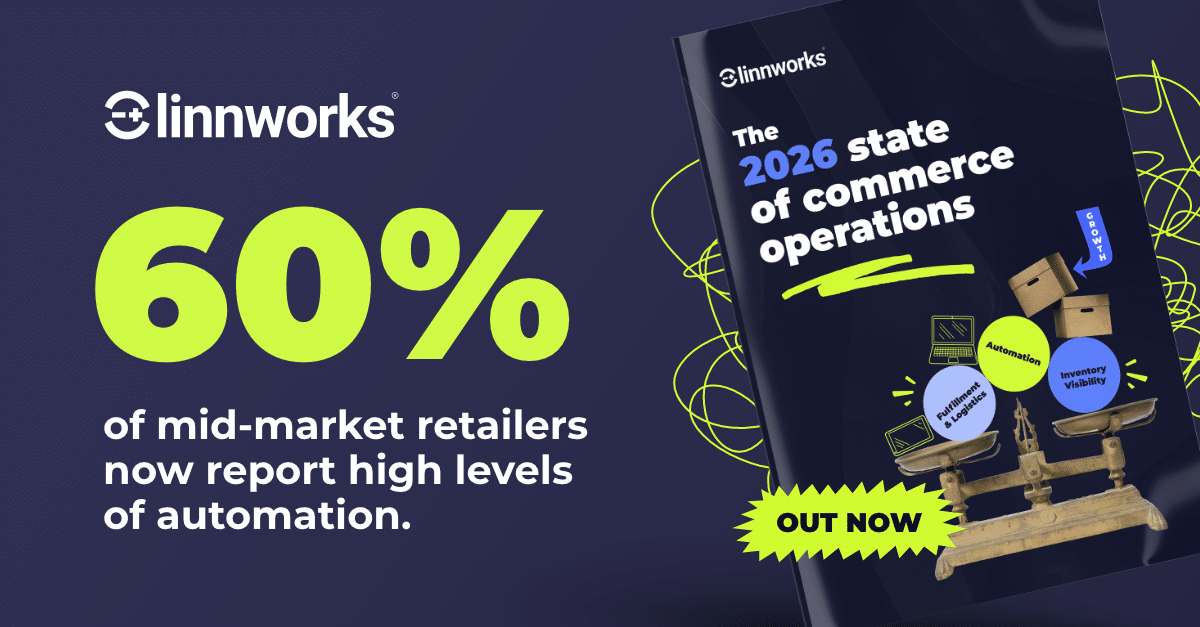
Linnworks’ 2026 State of Commerce Operations data puts the mid-market average just above four. Channel count isn’t the goal, though. The retailers pulling ahead in that data are the ones who added coordination before they added reach, which means getting listings and inventory working across your current channels before opening the next one.
State of Commerce Ops Report
Insights from 200+ retailers on automation, inventory visibility, marketplace strategy and global growth.